Advertisement
 Sponsored
How to Create a Wedding Seating Chart: A Practical 2026 Guide
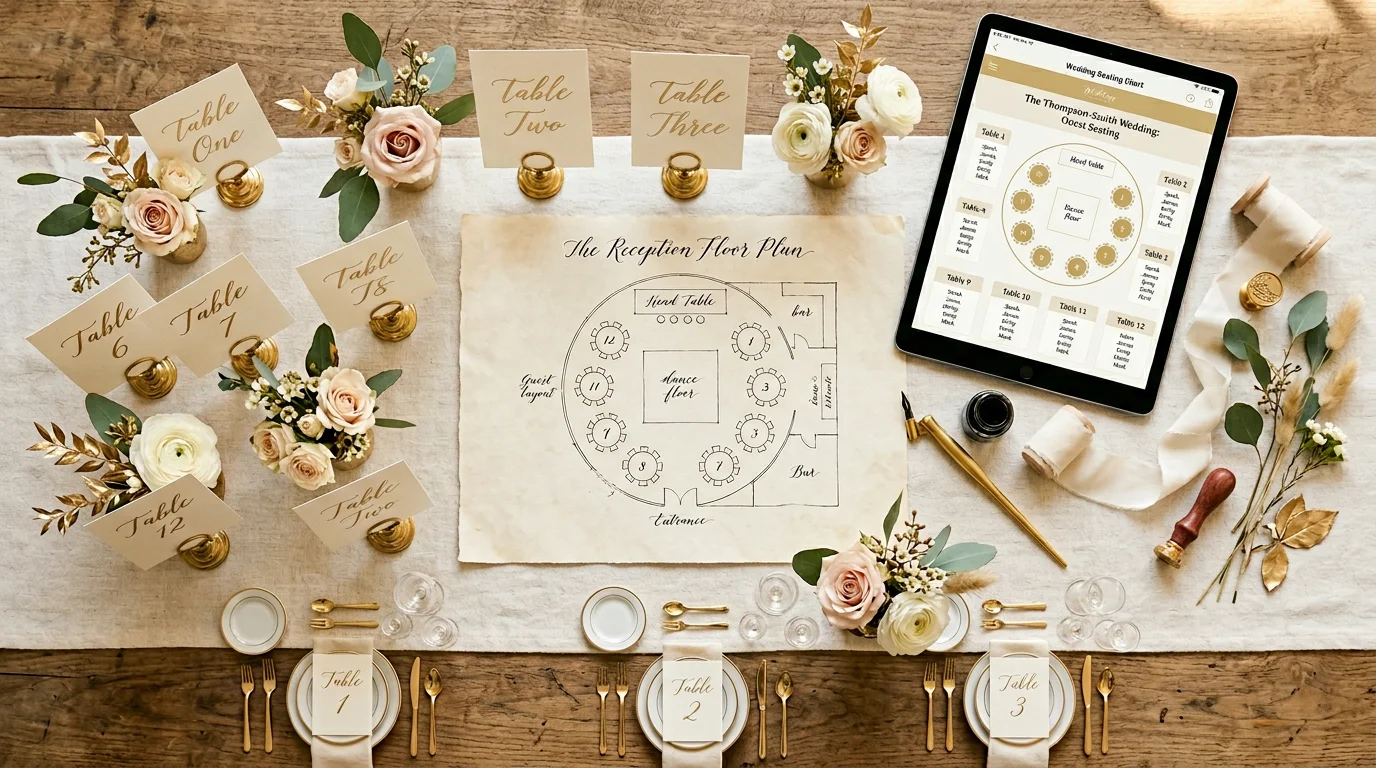
Few wedding tasks feel as emotionally loaded as the wedding seating chart. You are not simply arranging chairs; you are translating relationships, histories, and sensitivities into a floor plan that must still work for service staff, speeches, and the natural flow of the evening. The good news is that you do not need to be an event designer to produce a thoughtful table plan. With the right sequence, RSVP data first, then layout logic, then etiquette and contingencies, you can build a chart that feels fair, functional, and unmistakably yours.
This guide walks you through how to create a wedding seating chart from blank page to final printout, including table shapes, classic etiquette patterns, plus-ones, no-shows, and how a drag-and-drop seating chart or dedicated seating chart app can save hours of rework. If you are already managing guests digitally, you will see how the same information powers your wedding table plan without duplicate spreadsheets.
Whether you are hosting eighty guests in a barn or two hundred in a hotel ballroom, the principles stay the same: protect vulnerable guests, cluster compatible energies, and keep logistics boring so the celebration can stay magical.
Plan Your Event
One platform for every occasion: weddings, baptisms, corporate events and private parties.
Why your wedding table plan deserves serious attention
A seating chart is a bridge between hospitality and operations. Caterers need accurate headcounts per table for plating and dietary routing. Photographers and videographers need sightlines for key moments. Parents often appreciate predictable placement after months of family negotiation. Friends want to sit near people they actually enjoy.
Poor seating creates friction you will notice within minutes of sitting down: awkward silences, visible tension, or guests wandering between tables because they were split from their partners or children. Good seating is rarely commented on, because comfort is invisible when it works.
Pro tip: Treat the chart as a living document until your venue’s final numbers deadline. A seating chart app that syncs with your guest list lets you revise without starting from scratch every time an RSVP changes.
Step 1: Gather RSVP data before you touch the floor plan
The most common mistake couples make is sketching tables before the guest list is stable. You end up moving entire groups when a cousin declines or a colleague adds a plus-one at the last minute.
Lock the data layer first:
- Confirm names exactly as they should appear on place cards and escort cards (including preferred titles where relevant).
- Record meal choices and dietary requirements per person, not per household, kitchens route by individual seat.
- Flag accessibility needs: step-free routes, proximity to restrooms, space for mobility aids, distance from speakers for sound-sensitive guests.
- Note relationship context in private notes: divorced parents who should not share a table, friendship clusters, children’s ages, and anyone who may need a “buffer” seat.
- Track plus-one status explicitly (“named guest,” “open plus-one,” or “no plus-one”) so you are not guessing at chair counts.
If you are collecting responses digitally, centralising RSVPs in one system keeps this dataset trustworthy. Our guide to wedding RSVP workflows explains how deadlines, reminders, and structured fields reduce the “I think they are coming?” grey zone. For list hygiene and categories, pair that with a structured approach to your wedding guest list so groups are already labelled before you assign tables.
Export or print a master list with sortable columns: surname, party name, meal code, table (blank for now), and notes. This becomes the single source of truth for every revision.
Step 2: Understand your venue layout and table inventory
Request a scaled floor plan from your venue or planner showing:
- maximum legal capacity per table configuration,
- dance floor and stage placement,
- service doors and staff circulation paths,
- pillars, steps, and other sightline obstacles,
- where the head table or sweetheart table will sit (if you are using one).
Mark high-traffic zones (entrance, bar, toilets) and quiet zones (corners away from speakers). Elderly guests and parents with young children often appreciate slightly quieter tables, not exiled, just not pressed against a subwoofer.
Decide early whether you are numbering tables, naming them, or using a hybrid. Names feel personal; numbers are easier for catering spreadsheets. Either works if signage is clear.
Step 3: Choose table shapes that match your guest mix
Table shape changes conversation dynamics more than couples expect.
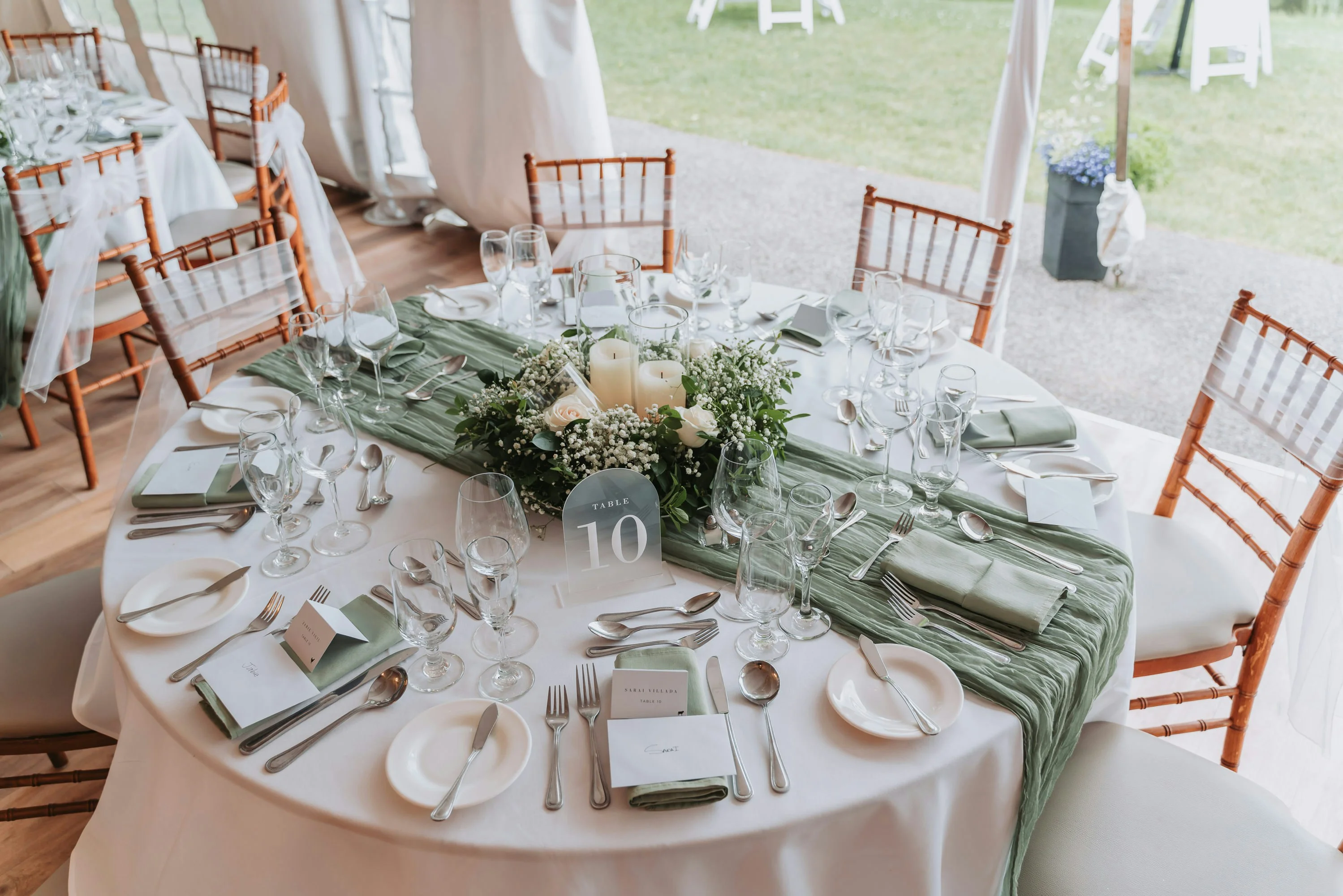
Round tables are the default for most UK and European receptions. Everyone can see each other; conversation splinters into two or three natural sub-groups at larger rounds (typically eight to twelve seats, venue-dependent). They are forgiving for mixed social groups.
Rectangular trestle tables suit family-style service, long “feast” aesthetics, and vineyard or barn venues. They can isolate guests at the far ends unless you deliberately alternate “connectors” (outgoing friends who draw others in) along the length.
Oval or elongated rounds split the difference, slightly better sightlines than a very wide round.
Sweetheart or head tables put the couple front and centre but remove you from the conversational bubble of your friends for much of the meal. Some couples prefer a sweetheart table plus nearby tables for immediate family; others sit among friends and skip the head table entirely.
Children’s tables work when ages cluster (roughly eight plus) and you trust supervision. For younger children, seating with parents is usually kinder to everyone.
Pro tip: If your venue offers mixed shapes, put your most socially cohesive groups at rounds and use trestles for extended family blocks where people already know they are “in it together.”
Step 4: Seating etiquette, who traditionally sits where (and when to ignore it)
Etiquette is a starting point, not a straitjacket. Use tradition where it reduces anxiety; depart from it where it increases joy.
Classic patterns many families still expect:
- Parents of the couple often anchor tables near the front or centre, with siblings and close relatives nearby.
- Wedding party members may sit together at a long table facing the dance floor, or be dispersed among guests if you prefer an inclusive feel.
- Speakers should have unobstructed paths to a microphone and a short walk from their seats, do not trap your best man behind a forest of chair legs.
- Elderly guests benefit from shorter routes to amenities and fewer steps between ceremony and reception seating if both are in the same venue.
Modern adjustments that frequently work better:
- Splitting divorced parents across two well-supported tables, each surrounded by their own relatives, rather than forcing proximity.
- Giving introverts slightly less “spotlight” seating while still honouring their importance, love is not measured in metres from the cake.
- Placing friends who know each other together even if it breaks strict “family side / partner side” symmetry, guests care more about conversation than genealogy diagrams.
Name cards and escort boards are cultural choices. If you use a seating chart app, you can regenerate printable lists whenever assignments change, which matters when families are still negotiating into the final week.
Step 5: Handle plus-ones with clear rules and consistent seating
Plus-ones are where math and diplomacy collide. The cleanest approach is a policy you can explain in one sentence: for example, “named partners and spouses only,” or “plus-ones for guests in relationships we know,” or “open plus-one for anyone travelling internationally.”
Practical seating tactics:
- Seat new partners beside their date, with at least one familiar neighbour across or beside them.
- Avoid marooning a solo plus-one at a table of strangers unless someone at that table has agreed to be an intentional connector.
- If a plus-one arrives without a confirmed meal choice, pre-assign a “flex” vegetarian or universally acceptable option with your caterer, never leave the kitchen guessing mid-service.
Digital RSVPs make plus-one capture far cleaner than phone chains. If your stack already lives in a planning hub, you can see at a glance which households are incomplete; explore how planning hub style tooling keeps tasks like this from falling through the cracks.
Step 6: Plan for no-shows, late changes, and day-of surprises
Even meticulous plans meet reality. Illness, travel disruption, and last-minute emergencies happen.
Buffer strategies:
- Hold one or two flexible seats at a sociable table if your venue permits, better than a permanently empty table that looks like a snub.
- Ask catering to prepare two or three extra meals at a neutral option if your contract allows; some venues prefer a financial “overage” buffer instead.
- Print a handful of blank place cards and keep a micro-list of “if they come, seat them here” options.
- Brief a trusted person (planner, sibling, or usher) who can answer “where do I sit?” without pulling you out of photos.
Pro tip: Freeze the version you send to print three to five days before the wedding unless your venue requires earlier, but keep a digital drag-and-drop version editable until the last responsible moment for internal use.
How drag-and-drop seating chart tools change the workflow
A drag-and-drop seating chart replaces eraser marks and sticky notes with a visual canvas. You place tables, set capacities, then drag guest names from a sidebar onto seats. When your RSVP list updates, you move individuals or whole parties without rebuilding the grid.
Look for software that supports:
- Collision-free capacities (you should not be able to overfill a six-top accidentally),
- Household grouping so partners move together,
- Colour tags for meals, VIPs, or vendor seats,
- Export to PDF or CSV for the venue and caterer,
- Optional guest-facing views where appropriate (often you will keep the full chart private and only show escort assignments).
WhiteClover’s approach ties seating to the same guest record as your website and RSVPs, which reduces transcription errors, the silent killer of wedding table plans. See the dedicated wedding seating chart page for how visual planning fits alongside list management.
Comparison: seating chart tools at a glance
We scored eleven tools against the five things that actually decide this, and the full dated table lives in free wedding seating chart tools that sync with RSVPs. The short version, checked 25 August 2026:
| Tool | Free? | Reads your RSVPs | Runs on Android |
| WhiteClover | Yes, no cap | Yes | Yes |
| Hitched | Yes, no cap | Yes | Yes |
| Wedding Studio | Yes, no cap | No, you paste the list | Unconfirmed |
| Zola | Free to 15 guests | Yes | No, iOS only |
| SeatPlan | Design free, £8 to export | No | Browser only |
| RSVPify | No, from $39 a month | Yes, the most detailed | Unconfirmed |
| The Knot | No seating builder exists | n/a | n/a |
Two findings worth carrying into your decision. The Knot publishes a page about free seating chart tools and does not have one, only printable templates. And Zola's free tier stops at 15 guests and its seating chart is iOS only, by Zola's own documentation.
No single tool wins every wedding. The best choice is the one your household will actually update when the fifteenth auntie changes her mind.
A sensible timeline for your wedding table plan
- 12 to 8 weeks before: Finalise invitation policy for plus-ones and children; ensure RSVP questions capture meals and accessibility.
- 6 to 4 weeks before: Build your first draft layout using confirmed guests only; leave waitlisted or uncertain names in a holding bucket.
- 3 to 2 weeks before: RSVP deadline passes; reconcile stragglers; send polite chasers; lock catering preliminaries.
- 10 to 7 days before: Share Table. Guest matrix with venue and caterer; order place cards if printing.
- 3 to 1 days before: Apply last-minute medical or travel changes; print final escort board; brief ushers.
If you are also juggling vendors, budget, and timeline in parallel, keeping seating inside the same ecosystem as your broader plan reduces context switching. The planning hub model, tasks, deadlines, and guest data in conversation with each other, is often less stressful than five disconnected apps.
Bringing it together without losing the plot
You began with a question millions of couples ask each year: how do we turn a crowd of people we love into a map they can navigate without drama? The answer is disciplined kindness, kindness in the form of clear data, thoughtful proximity, and realistic buffers.
Start from RSVPs, respect the venue’s physical truth, choose shapes that suit your service style, apply etiquette where it helps, and use software that respects your time. The chart will never be perfect in the abstract; it only needs to be good enough that guests feel welcomed, fed, and free to celebrate.
Managing a wedding seating chart can quickly become overwhelming as you reconcile family expectations, dietary grids, and last-minute changes, often while you are supposed to be enjoying the final stretch of engagement. The article highlights how treating seating as an extension of your guest data, rather than a separate puzzle, transforms a fragile spreadsheet into a calm, revisable plan you can share with vendors and trusted helpers.
Discover how WhiteClover’s integrated guest and seating workflow simplifies turning confirmed RSVPs into a polished wedding table plan, with visual tools that respect real-world changes. Designed for modern couples who want to ditch chaos without losing the personal touch, WhiteClover enables you to keep your story at the centre while logistics quietly support the edges. Start your journey to calmer wedding planning today at WhiteClover and experience how much lighter the last few weeks can feel when your seating chart finally cooperates.
Frequently asked questions
How long before the wedding should I finalise my seating chart?
Most couples aim to freeze the version sent to caterers and the venue about one to two weeks before the wedding, aligned with the contract’s final headcount date. Internally, you may keep a digital drag-and-drop seating chart editable a few days longer for emergencies, but avoid endless last-minute shuffles, they confuse printed stationery and volunteer ushers.
Is it rude not to assign seats or tables?
For seated meals, some level of assignment is usual: at minimum assigned tables with open seats, if not specific seats. Fully open seating can work for very small receptions but often creates a scramble at the entrance and awkward half-empty tables. A clear wedding seating chart or escort display is an act of consideration, not control.
How do I seat divorced parents who do not get along?
The gold standard is parallel support: each parent at a separate table, surrounded by their own relatives or friends, with comparable proximity to you, not a hierarchy of “better” versus “worse” placement. Avoid surprise proximity; if you are unsure, ask a diplomatic family member or your planner for a sanity check before you print.
What is the difference between a seating chart and a place card?
A seating chart or escort display tells guests which table to go to. Place cards at the table tell them which seat is theirs. You may use only escort cards (table assignment) if you do not care about specific seats, but you still need a reliable map of who belongs at which table for catering.
Can I use a spreadsheet instead of a seating chart app?
Yes, many small weddings do. The trade-off is visualisation and version control: spreadsheets hide sightline and proximity problems that drag-and-drop tools surface quickly. If you choose a manual spreadsheet, use strict formulas for seat counts, colour-code meals, and nominate one person as the only editor during the final week.
Related reading: for tool-specific workflows and collaboration tips, see our posts on guest table management, wedding planning apps for seating, and how to organise wedding guest lists.
Written by
Marios P
Part of the WhiteClover team, helping couples and hosts plan unforgettable events with modern digital tools. Passionate about simplifying the celebration planning journey.
You Might Also Like
 Guest Experience
Wedding Seating Chart Designer & Table Management
Design perfect wedding seating charts with our visual drag-and-drop table designer.
 Digital Tools
Wedding Planning Apps With Seating Tools
Compare wedding planning apps with seating arrangement tools: drag-and-drop charts, guest-list sync, venue exports, and how to choose the right platform.
 Guest Experience
How to Organise Wedding Guest Lists for Stress-Free Events
Learn how to organise wedding guest lists efficiently with a step-by-step guide focused on digital tools.