Advertisement
 Sponsored
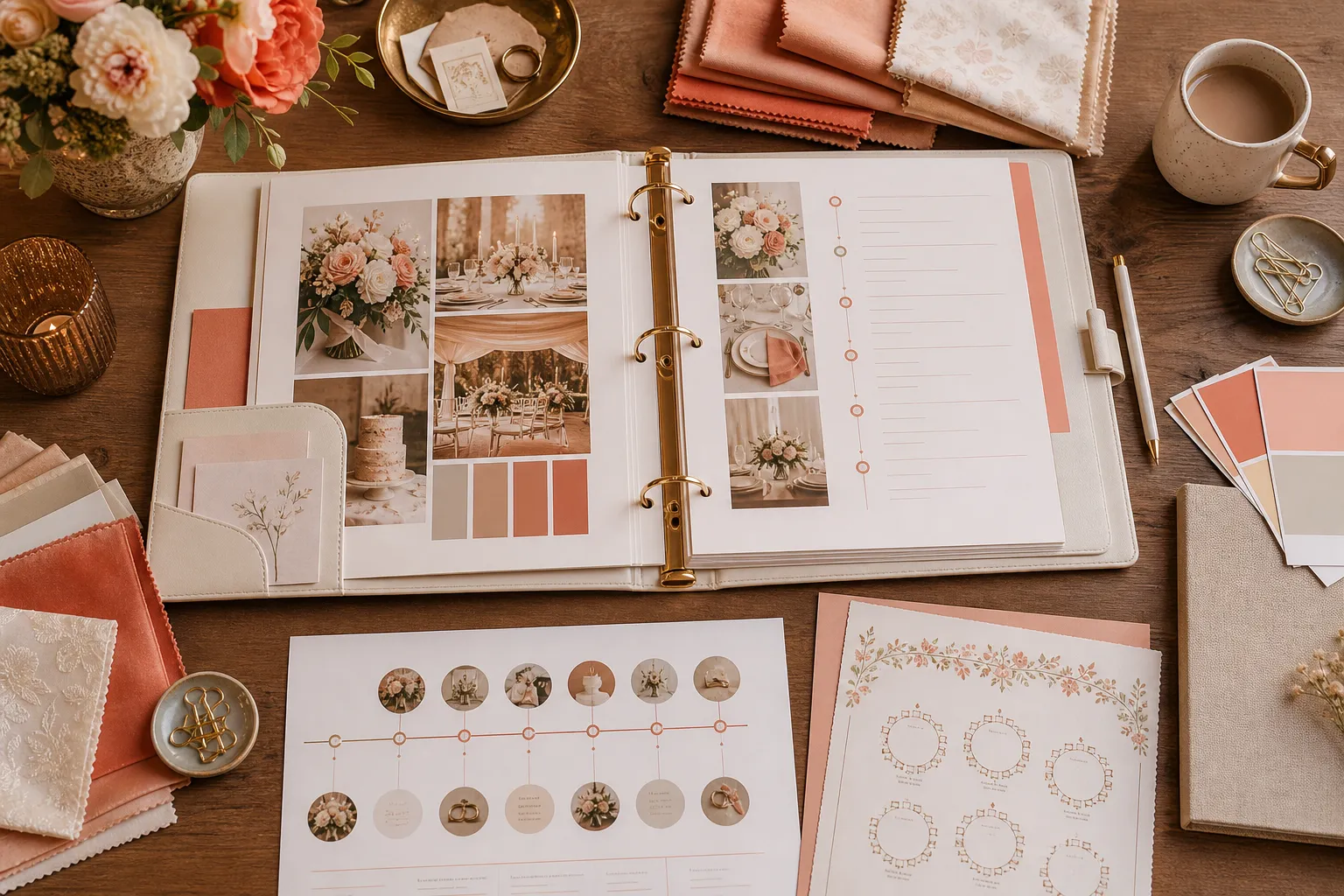
The best offline tools for wedding planning are the ones that survive a flat phone battery, a venue with weak signal and a panicked text from the photographer at 7am. A printed master binder, fabric swatches, paper seating charts and hand-written timelines have kept weddings running long before apps existed, and the planners who have run two-hundred-plus weddings still reach for them first.
This is not an argument against digital tools. The smartest set-up is hybrid: paper for the things that need to be physical, digital for the things that need to be shared with 120 guests. Below are the seven analog tools wedding planners still swear by, when each one beats its digital alternative, and how to back them up so nothing important sits in only one place.
Plan Your Event
One platform for every occasion: weddings, baptisms, corporate events and private parties.
The Quick Answer
If you only have time for three offline tools, choose:
- A printed master binder with tabbed sections for venue, vendors, timeline, payments and guest list.
- A swatch book for matching fabric, ribbon and flower colours in person.
- A paper seating chart with sticky notes, one per guest, colour-coded by side.
Everything else (the live wedding website, RSVP tracking, guest photo gallery) belongs online. A reliable free wedding planning checklist works in both worlds, keep one printed in the binder and one shared with anyone helping you, so nothing falls between the two systems.
Why Offline Tools Still Matter on the Day
Wedding venues are not always built for technology. Mountain chapels, country estates outside Bath, vineyards in Tuscany, many of the most beautiful spots have spotty signal, no WiFi for vendors and a stone-walled bridal suite that swallows your 4G. Meanwhile, your photographer needs the schedule, your florist needs to know which arch goes where, and the maid of honour needs to find the speech notes she wrote on the train.
Paper does not need to load. A printed timeline pinned to the catering kitchen, a binder open on the welcome desk and a sticky-note seating chart leaning against the easel can be read by anyone, from anywhere in the venue, regardless of network. That is the case for offline tools, not nostalgia, but reliability.
The 7 Offline Tools Wedding Planners Still Swear By
Each of these maps loosely to one of the essential types of wedding planning tools you will see in any digital comparison. The difference is that these versions live on a desk, in a bag, or pinned to a wall.
1. The Printed Master Binder
A three-ring binder with tabbed dividers: one tab per area: venue, ceremony, reception, vendors, timeline, payments, guest list, contracts. Inside each tab go contracts, contact cards, sketches and printed emails. Planners use it because it is the single source of truth nobody can edit by accident. When the cake supplier rings on Friday with a delivery question, the planner opens to "Cake" and reads the answer in fifteen seconds.
Pro tip: Slip a clear pocket inside each tab for receipts and business cards, saves you from rummaging through a wallet during a vendor meeting.
2. Swatch Books for Fabric and Colour
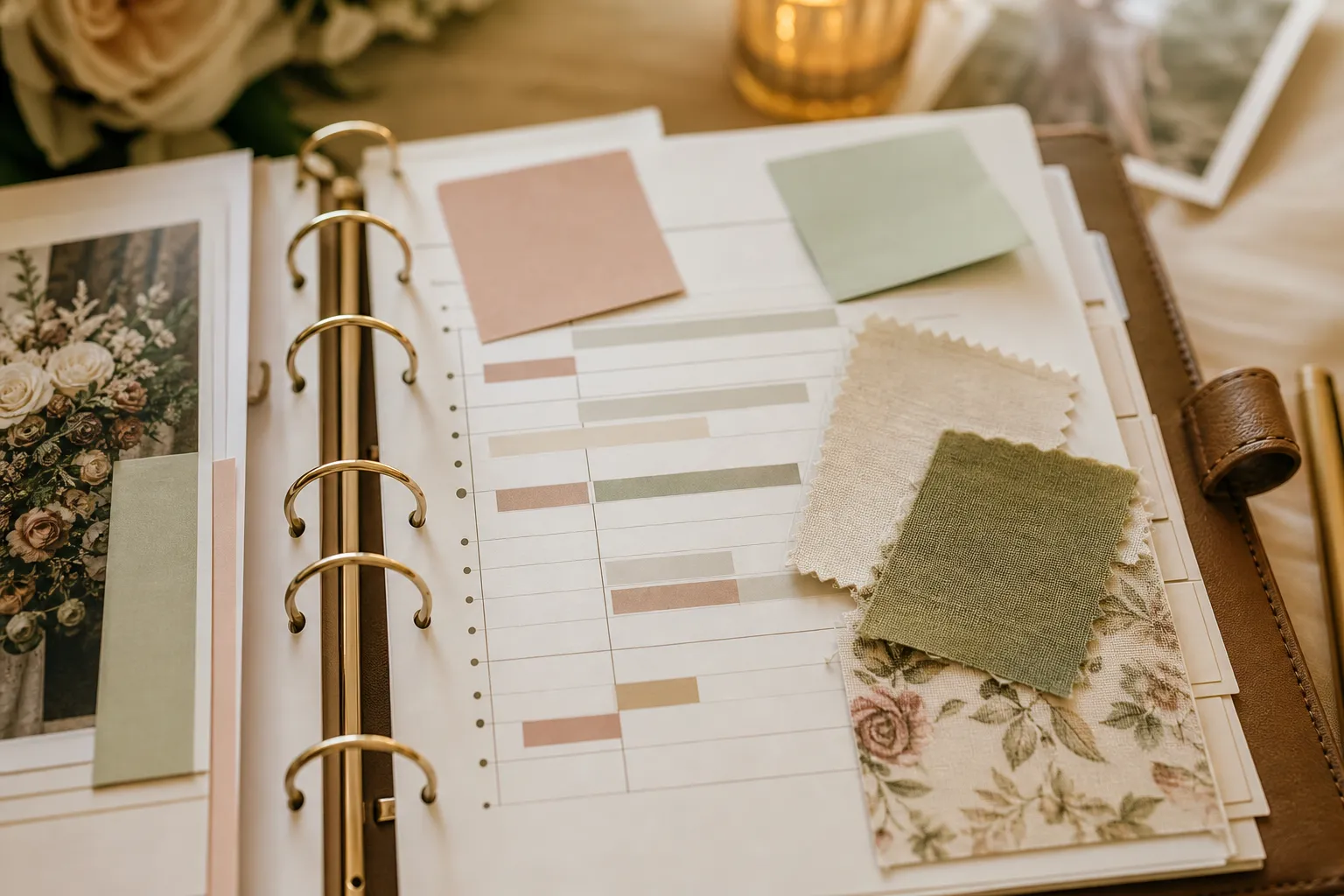
Phone screens lie. The same colour value can show as blush on one screen, coral on another and dusty rose on a printed napkin. A swatch book, Pantone references, fabric samples from the bridesmaid dressmaker, ribbon offcuts from the florist, lets you match colours under real light, in real fabric. Carry one in your bag for any vendor visit and you will catch mismatches months before they show up in photos.
3. Polaroids or Printed Photos for Venue Walkthroughs
Walk the venue with a printed floor plan and instant photos. Mark where the arch goes, where the welcome table sits, where the band sets up. Nothing replaces standing on the spot, taking a Polaroid, and writing on the back: "speakers face away from the chapel, sound check 16:30." Bring those photos to vendor meetings and the conversation moves twice as fast.
4. Paper Seating Chart with Sticky Notes
One sticky note per guest, colour-coded by family side or table category. Stick them onto a paper grid of your tables. When Uncle Yiannis cancels at the last minute, you peel and move three notes around the kitchen table in eleven minutes. Try the same on a phone after a long evening with shaky WiFi, you cannot. Sticky notes also let three people stand around the table and rearrange together, which is hard to do shoulder-to-shoulder over a small screen.
5. Hand-Written Day-Of Timeline for the Wedding Team
Print one copy for each key person on the day: planner, photographer, videographer, DJ or band, MC, maid of honour, best man, parents of the couple, catering captain. Times in the left column, action in the right column, vendor contact at the bottom. A laminated A5 version that fits in a clutch or jacket pocket beats a shared Google Doc nobody opens at 19:30 because their hands are full of bouquets and champagne flutes.
6. Vendor Business Cards in a Holder
Rolodex-style or a simple card book. Every business card you collect: venue, florist, photographer, DJ, hair, makeup, baker, transport, dressmaker, goes in there, annotated with the price quoted and the date. When the planner needs to ring a backup hairstylist on Friday morning, she flips a page.
7. Foam-Core Mood Boards
Pin physical samples: fabric scraps, dried flowers, ribbon, paint chips, cake textures, to a foam-core board and carry it to vendor meetings. The florist will react differently to a board they can touch than to a Pinterest link with twenty saves, and the board doubles as a brief for any vendor who joins the team later.
Offline vs Digital: Where Each One Wins
| Category | Offline tool | Digital tool | Winner |
| Vendor contracts and notes | Printed binder with tabs | Cloud folder + planning hub | Hybrid: print, scan, store both |
| Colour and fabric matching | Swatch book, fabric samples | On-screen Pantone reference | Offline, phones lie about colour |
| Guest list and RSVP tracking | Hand-written guest list | Online RSVP form | Digital, saves weeks of follow-up |
| Seating chart edits | Sticky notes on paper grid | A drag-and-drop wedding seating chart | Hybrid, sticky for drafts, digital to share |
| Day-of timeline distribution | Laminated A5 cards per role | Shared timeline link | Hybrid, print for the team, share for guests |
| Mood boards and aesthetic decisions | Foam core with samples | Pinterest, Instagram saves | Offline, touch beats taps |
The Hybrid Model: What to Keep Offline vs Digital
The seven analog tools above do one job brilliantly. They are tactile, reliable and require zero battery. They struggle at three other jobs that have become non-negotiable for modern weddings: collecting RSVPs from 120 guests across multiple time zones, sharing photos privately after the day, and giving every guest the same up-to-date schedule on their phone.
The hybrid rule is simple. If only the wedding team needs it, paper wins. Day-of timeline, vendor contracts, seating drafts, colour decisions, those live in the binder. If guests need it, digital wins. Wedding website, online RSVP, schedule, a shared wedding photo album, those live online.
The mistake is letting the binder do the website's job (your guests cannot scan a binder) or letting the website do the binder's job (you cannot grab a website at 7am with no signal). Run both, and have one back up the other. Most planners scan a finished binder section into a shared folder once a month: vendor contracts, payment receipts, guest lists, so a single coffee spill or lost binder does not erase six months of work. If you want to compare the digital side, a complete guide to all-in-one wedding planning tools walks through the alternatives.
A digital planning hub is the natural backup. It holds the same vendor records, payment dates and guest list as your binder, but it is searchable, shareable and survives a fire. Couples I work with treat the binder as the working document and a tool like the WhiteClover planning hub as the read-only mirror, updated weekly, ready to take over the moment the binder is unavailable.
A Real Saturday Morning with Both Worlds
Picture the morning of the wedding. The planner arrives at 09:30 with the binder under her arm, walks the room with the catering captain, and they confirm the head-table position by laying a Polaroid on the actual spot. The DJ pulls his laminated timeline card from his back pocket without unlocking a phone. The maid of honour finds the seating chart pinned to the welcome table, Uncle Yiannis cancelled overnight, so the planner peels his sticky note and re-arranges table 8 on the spot. By 11:00, guests check in via the wedding website on their phones, the first photos hit the shared gallery, and two systems run side by side without stepping on each other, paper for the team, digital for the guests.
Frequently Asked Questions
Should I print my entire wedding planning checklist?
Print the day-of timeline and the master vendor list. Keep the long-term planning checklist (12-month, 6-month, 3-month) digital so updates are easy. A free wedding planning checklist works well as both, print one for the binder and share the live version with whoever helps you.
Are paper seating charts really better than apps?
For drafting and last-minute changes, yes. Sticky notes on a paper grid let three people stand around a table and rearrange in minutes. For sharing the final layout with the venue and the catering team, a digital seating chart is faster, export it, send the PDF.
What about wedding planners who only use apps?
They exist, especially in city centres with reliable connectivity. The risk is concentration: if one app goes down, several jobs (timeline, RSVPs, vendor contacts) go down at once. A printed binder is insurance against that single point of failure, even when most of your work is digital.
How do I keep an offline binder and a digital planning tool in sync?
Decide which one is the source of truth for each section. Vendor contracts: paper original, digital scan. Guest list: digital source, printed master copy on the day. Day-of timeline: written and laminated for the team, web link for guests. Then commit to a fifteen-minute weekly sync.
What if my wedding planner does not use any digital tools?
That is common with experienced planners who have run two-hundred-plus weddings. Add the digital layer yourself: a guest-facing website, an online RSVP, a private photo gallery, and let the planner keep her binder. The two systems do not need to belong to the same person to work together.
Bring the Binder and the Browser into One Calm System
Wedding planning sits in two places at once. The vendor contract is paper; the guest list is a spreadsheet; the seating chart is sticky notes on the kitchen table; the photo album lives on a phone in your aunt's pocket. Trying to force everything into one format, all paper, or all app, usually ends in either a binder nobody can share or an app that fails the moment the venue's WiFi drops. The couples who finish planning calmly are the ones who let each tool do what it is best at and back the rest up properly.
WhiteClover is built to be the digital backup the offline binder always needed: vendor records, payment trackers, guest lists, RSVPs and a wedding-day timeline all in one place, ready to share with whoever needs them. Pair it with the printed binder, swatch books and sticky-note seating chart your planner already loves, and you get the best of both worlds: paper that survives a flat battery, and a digital hub that survives a coffee spill. Start with WhiteClover at whiteclover.io and bring the analog and the digital sides of your wedding into one calm system.
Written by
Nikos L
Part of the WhiteClover team, helping couples and hosts plan unforgettable events with modern digital tools. Passionate about simplifying the celebration planning journey.
You Might Also Like
 Checklists
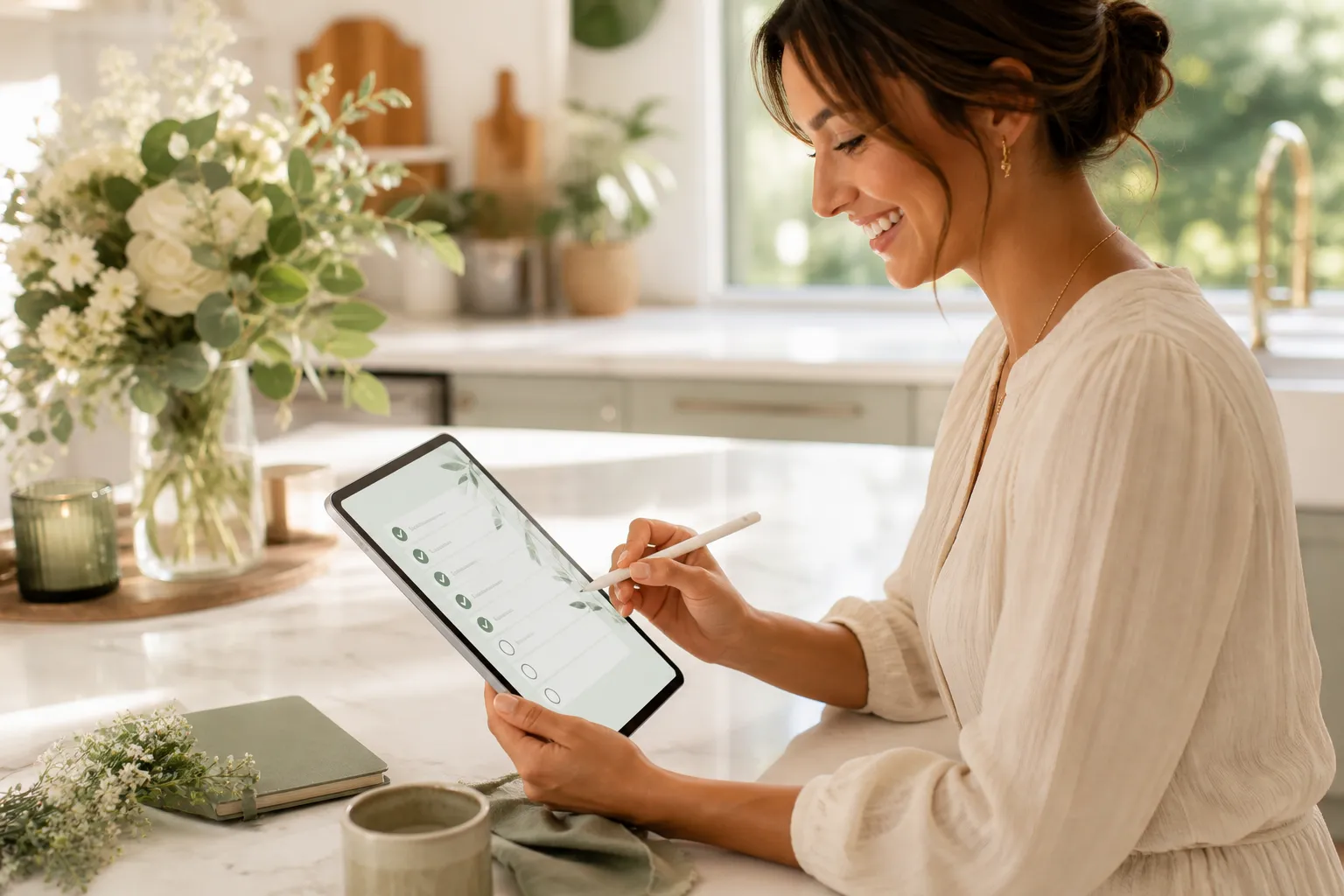
Best Free Wedding Planning Checklists
Compare the best free wedding planning checklists and learn how to adapt one to your own timeline, budget, vendor list and guest count without extra tabs.
 Digital Tools
Best Wedding Planning Tools (2026): 7 Types Compared
Seven wedding planning tools, from website and RSVP to budget, vendors and guest photos, with what each costs and free and paid options for each job.
 Digital Tools
All-in-One Wedding Planning Tools Guide
The complete guide to all-in-one wedding planning tools: what they are.