
Advertisement
 Sponsored
The best wedding planning software is not the one with the longest feature list. It is the one that helps the right people make the right decisions at the right time: you, your partner, your planner, your vendors, and your guests.
That is why the question "what software do wedding planners use?" is useful, but incomplete. Professional planners use software that protects the timeline, the guest list, the budget, the client relationship, and the wedding-day experience.
If you are still mapping the broader tool landscape, start with our all-in-one wedding planning tools guide. If budget and supplier coordination are already your biggest concern, compare your shortlist against a proper wedding planning hub.
Plan Your Event
One platform for every occasion: weddings, baptisms, corporate events and private parties.
Start With The Job, Not The App
Before comparing dashboards, ask: what job must this software do for your wedding?
A 45-guest city wedding, a 180-guest countryside celebration, and a destination wedding with guests flying from six countries do not need the same setup. A planner managing ten couples also has different needs from a couple organising one wedding after work.
The five jobs:
- Planning control: tasks, deadlines, budget, contracts, vendor details
- Guest management: guest list, RSVPs, plus-ones, dietary needs, seating
- Guest communication: website, schedule, maps, travel details, FAQs
- Wedding-day coordination: timeline, vendor access, table plans, emergency contacts
- Memory collection: photo sharing, digital guestbook, private gallery
Pro tip: Write your top three planning risks before booking any tool. "Guests will text us all week" is clearer than "we need an app."

What Software Do Wedding Planners Use?
Wedding planners usually combine systems:
- project management tools for tasks and approvals
- CRM tools for enquiries, proposals, contracts, and invoices
- wedding-specific platforms for RSVPs, websites, seating, budgets, and vendors
- design tools for mood boards and floor plans
- communication tools for calls and updates
The problem is not that planners use several tools. The problem begins when couples and guests experience that complexity. A planner may manage contracts privately, but the couple should still have one clear home for decisions, guest information, RSVP status, documents, and wedding-day details.
That is where WhiteClover for event planners can connect professional workflows with a calm guest-facing experience.
A 7-Part Evaluation Framework
1. Guest list depth
A guest list is not just names and emails. It needs households, plus-ones, children, groups, RSVP status, dietary requirements, accessibility notes, table assignments, and sometimes language preferences.
If guest management is a major concern, compare tools against a dedicated wedding guest list workflow.
2. RSVP and communication flow
A good RSVP tool should answer who is coming, who has not replied, what they can eat, which events they will attend, and whether they need travel details.
Read our wedding RSVP guide for a deeper checklist.
3. Budget and vendor visibility
Budget tools should help you make decisions, not just record regret. Look for estimated cost, actual cost, paid amount, balance due, due dates, vendor notes, and contract storage.
4. Collaboration and permissions
Most weddings are planned by more than two people. Parents, planners, assistants, venue coordinators, and vendors may all touch the process. That does not mean everyone should edit everything.
Ask whether your planner can collaborate without using your login, whether vendors can receive limited information, and whether key information can be exported.
5. Guest experience after RSVP
Guests do not see your planning dashboard. They experience your wedding through the invitation, website, RSVP flow, reminders, schedule, maps, and photo collection.
For photo sharing and digital guestbooks, a private Experience App can connect planning with the memories guests create on the day.
6. Flexibility for your wedding style
Some software assumes every wedding follows the same structure. Real weddings are messier: civil ceremony Friday, religious ceremony Saturday, brunch Sunday, separate language versions, children invited to one part but not another, or a destination itinerary with transfers.
Test tools with real examples from your wedding, not perfect demo data.
7. Data ownership and exit plan
Wedding software holds personal data: names, emails, phone numbers, dietary notes, travel details, and sometimes photos. Ask how data is stored, who can access it, how you can export it, and what happens after the wedding.
Couples vs Professional Planners
Couples usually ask: "Will this make our planning easier?"
Planners ask: "Will this make repeated planning easier without creating extra admin?"
Both questions matter. Couples should prioritise clarity, guest experience, ease of use, and emotional fit. Planners should prioritise repeatable workflows, permissions, templates, exports, and client presentation.
Red Flags
Be careful if a tool:
- looks beautiful but cannot handle complex guest groups
- requires guests to create accounts for simple tasks
- treats RSVP, website, seating, and photos as disconnected areas
- has no clear export options
- does not explain privacy or data retention
- makes collaboration depend on shared passwords
- works only for one wedding style
More notifications do not automatically mean better planning. The right tool reduces unnecessary messages because the information is already clear.
A Simple Scoring Model
Score each area from 1 to 5:
| Area | Couple weight | Planner weight |
| Guest list and RSVP | 5 | 5 |
| Guest website and communication | 5 | 4 |
| Budget and vendor tracking | 4 | 5 |
| Seating and logistics | 4 | 5 |
| Collaboration and permissions | 3 | 5 |
| Photo sharing and guestbook | 3 | 3 |
| Templates and repeatability | 2 | 5 |
| Data export and privacy | 4 | 5 |
| Ease of use | 5 | 4 |
Where WhiteClover Fits
WhiteClover is built for couples and planners who want planning tools and guest experience to live together. The planning side covers website, RSVP, guest list, budget, and vendor organisation, while the guest-facing side helps with schedule, travel details, private photo sharing, and a digital guestbook.
Start with the Planning Hub, or if you are a professional planner comparing systems for multiple clients, review WhiteClover for event planners.
FAQ
What is the best wedding planning software?
The best wedding planning software fits your guest list, wedding style, collaboration needs, and budget. Strong RSVP, guest list, website, seating, vendor notes, and communication matter more than a long feature list.
What software do wedding planners use?
Wedding planners often use a mix of project management, CRM, design, communication, and wedding-specific software.
Should couples use the same software as their planner?
Usually, yes, for shared information such as guest lists, RSVP status, seating, timelines, and key documents.
Is software better than spreadsheets?
Spreadsheets can work for small, simple weddings. Software becomes more useful when RSVPs, dietary notes, seating, vendor payments, guest messages, and photos need to connect.
When should we choose software?
Choose it early enough to build your guest list and website before sending save-the-dates or invitations.
Written by
Konstantinos P.
Part of the WhiteClover team, helping couples and hosts plan unforgettable events with modern digital tools. Passionate about simplifying the celebration planning journey.
You Might Also Like
 Digital Tools
All-in-One Wedding Planning Tools Guide
The complete guide to all-in-one wedding planning tools: what they are.
 Budget & Tools
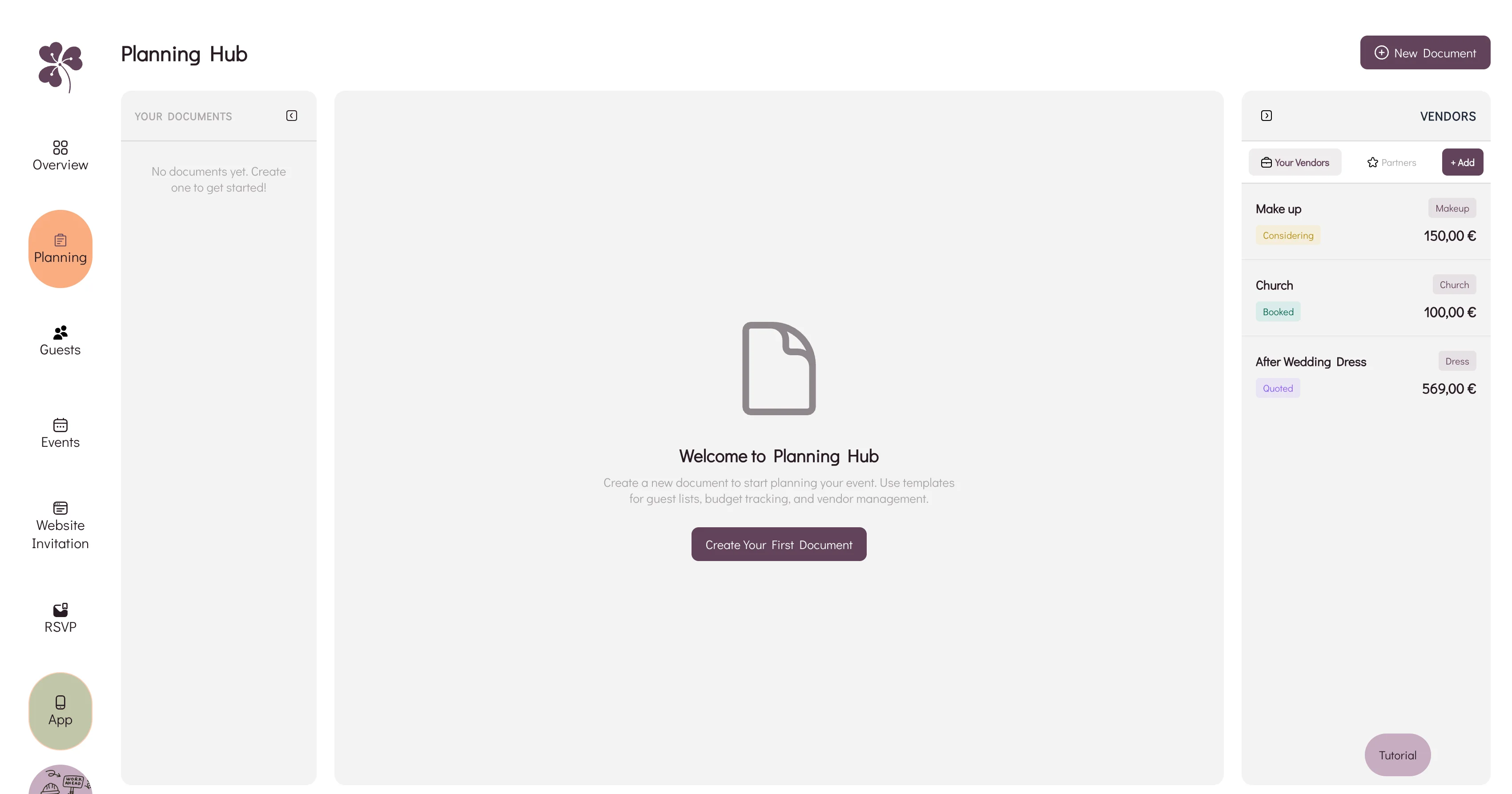
Wedding Planning Hub: Budget & Vendors
Why a spreadsheet, an inbox and a notes app stop agreeing with each other, and how WhiteClover's Planning Hub keeps budget and vendors in one view.
 Guest Experience
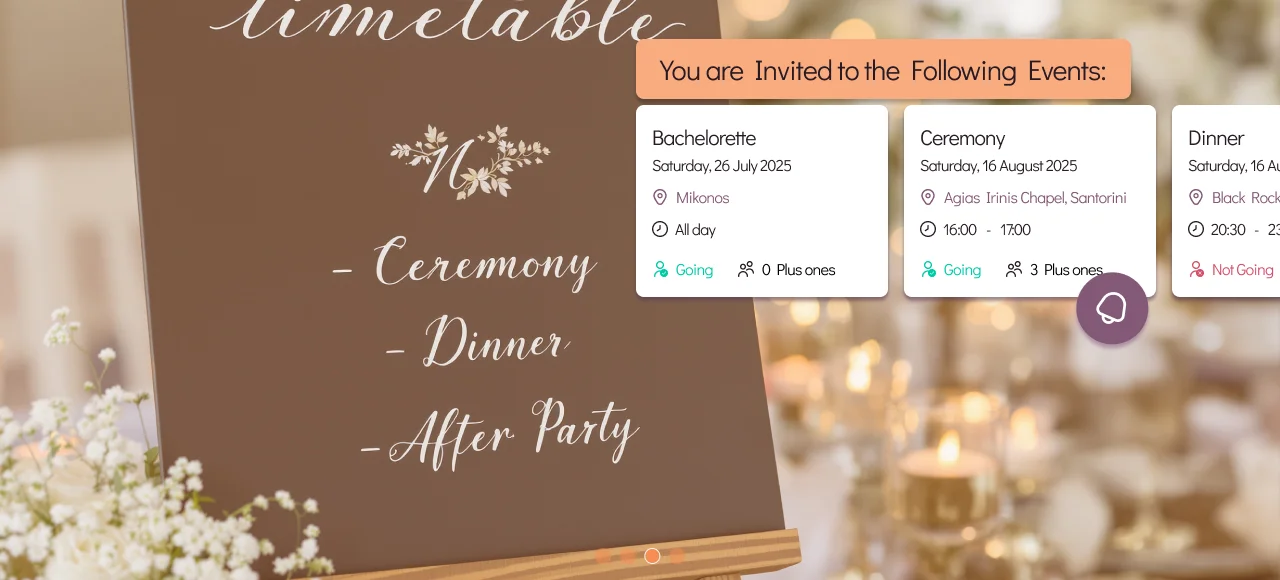
Guest list automation, Transforming wedding planning
Guest list automation streamlines wedding planning, simplifies RSVPs, minimises errors, and enhances social sharing. Explore features, benefits and risks.