
Advertisement
 Sponsored
How to Collect Guest RSVPs: A Step-by-Step Guide
Picture this: your wedding is eight weeks away, the caterer wants final numbers by Friday, your seating plan is half-built, and you genuinely cannot say whether forty of your guests are coming. Collecting guest RSVPs is one of those jobs that quietly eats your evenings: chasing replies across scattered text messages, second-hand updates from relatives, and reply cards that never made it back from the post. The good news is that the chaos is optional. This guide is the host's playbook: a clear, step-by-step workflow for collecting RSVPs, chasing the stragglers without feeling pushy, and landing on an accurate final headcount with time to spare.
We planned our own wedding on Naxos while both working full-time, so we will be honest about what actually worked and what we would do differently. If you want the etiquette side, what guests should do, start with our wedding RSVP guide on timeline and wording. This article is about your side of the table: getting the responses in.

Plan Your Event
One platform for every occasion: weddings, baptisms, corporate events and private parties.
Why collecting RSVPs efficiently matters
Getting your numbers right is not a tidy-up task you do at the end. It sits underneath almost every decision you make in the final stretch. Catering quotes, table layouts, floral orders, favours, transport, they all hang on knowing how many people are actually coming.
When replies trickle in late, the delay ripples through your whole timeline. Caterers usually want confirmed numbers two to four weeks before the day, and venues need a near-final seating plan shortly after. Even a small gap between invited and confirmed can mean paying for meals nobody eats, or scrambling to find an extra table the night before.
What you need is a buffer you can defend, and that comes from understanding what moves the number rather than from borrowing a percentage. Two things push a yes rate down, and both are really about what the invitation costs the guest. The first is distance: flights, hotel nights and booked time off turn an invitation into a purchase, and a wedding an hour's drive from home holds far more of its list than one that asks for a ferry and three nights away. The second is closeness: the further someone sits from your inner circle, the easier the decline is to write. Then there is the last gap, the one that catches people out. Confirmed is not the same as arrived. Illness, delayed flights and genuine emergencies mean a few of the people who said yes will not walk in, and the place to absorb that is your catering order, not your guest list.
For our own wedding on Naxos we invited 140 and 96 confirmed. We had braced for the travel to cost us more of the list than it finally did. That is one wedding, not a rule, and yours will land somewhere else entirely, which is exactly why you collect responses early and track them properly rather than guessing from anyone's average.
Prompt, accurate RSVPs are not only a courtesy to you. They are a quiet sign of respect for the venue, the caterer, and everyone working behind the scenes to make the day run.
What you need before you start collecting RSVPs
Before a single invitation goes out, decide what you are collecting and where it will live. Walking in without a system is how couples end up with duplicate entries, missing dietary notes, and a spreadsheet nobody trusts by week three.
Collect this from every guest:
- Full name (and partner or plus-one name where relevant)
- Email address and mobile number
- Attendance: yes, no, or a per-event answer for multi-day weddings
- Dietary requirements and allergies
- Song requests or any personal detail you plan to use
- Travel or accommodation needs for destination and multi-venue weddings
How smoothly that information flows into your planning depends on the tool you pick. Broadly, you are choosing between two approaches.
| Feature | Single-purpose RSVP tool | All-in-one platform |
| RSVP form customisation | Basic | Advanced |
| Guest tracking dashboard | Limited | Full, real-time |
| Invitation design | None | Built-in templates |
| Dietary data collection | Yes | Yes |
| Reminder automation | Sometimes | Yes |
| Budget and vendor tools | No | Yes |
| Digital invitations | Sometimes | Yes |
| Photo and memory sharing | No | Yes |
A single-purpose RSVP tool is fine if the rest of your planning is already well organised elsewhere. But an all-in-one platform saves you from copying data between apps and re-keying the same guest five times. Building your RSVP collection on top of your wedding guest list gives you one source of truth, so a "yes" instantly updates your seating, your dietary tally, and your final count. If you are still setting that list up, our walk-through on how to organise wedding guest lists covers the structure that makes everything after it easier.
Going digital also cuts the paper, ink, and postage of traditional reply cards, which is no small thing across 100-plus invitations.
Pro tip: Even if you send paper invitations because you love the feel of them, print a small QR code on the details card that links straight to your online RSVP form. You keep the tactile experience and still get every reply in one dashboard.
Step-by-step: how to collect guest RSVPs smoothly
With your tools chosen and your checklist ready, here is the workflow we used, refined into seven steps.
- Create or import your guest list digitally. Enter every guest into your platform, or import the spreadsheet you already started. Give each person a clear status: invited, yes, no, or pending, so you can see at a glance who is outstanding.
- Build a short, clear RSVP form. Match the design to your wedding, and include the date, venue, and a firm deadline. Ask only for what you listed above. Keep it to under two minutes to complete; every extra field is a reason to put it off.
- Send the invitation through the right channels. Email is fast and trackable, but a shared link works over messaging apps too, and a QR code rescues your paper invitations. The goal is to make replying as frictionless as possible. If you want to see how a fully digital flow looks, our piece on online RSVP invitations walks through the common challenges and how to handle them.
- Set a firm deadline, and pad it. Give yourself at least three to four weeks before your caterer's cut-off. Be specific: "Please RSVP by 15 August" beats "kindly reply soon." For destination weddings, push the deadline earlier still so guests can book flights and rooms.
- Watch the dashboard, not your inbox. Filter by status and check every few days in the weeks after invitations land. You are looking for the "pending" list shrinking, not refreshing six separate threads.
- Send reminders to non-responders. A warm nudge about a week before the deadline is completely fine. Automated email or SMS reminders save you from chasing each guest by hand, and you can still add a personal message to the handful who matter most.
- Finalise the headcount and brief your vendors. Once the deadline passes, lock in your confirmed numbers, subtract a small no-show allowance, and send the final count to your caterer, venue, and any other suppliers. Our 8-step wedding guest checklist guide is a handy cross-check so nothing slips through.

Comparing RSVP methods at a glance:
| Method | Speed of response | Eco impact | Ease of tracking | Cost |
| Printed reply card | Slow (postal delay) | High paper use | Manual entry | Moderate to high |
| Email invitation | Fast | Low | Moderate | Low |
| Digital RSVP platform | Fastest | Minimal | Automated, real-time | Low to moderate |
| QR code on a card | Fast | Low (minimal print) | Automated | Low |
Pro tip: Build your contingency into the catering order rather than the guest list. For Naxos we had 96 confirmed and ordered 93 covers; four guests dropped out on the day, so we landed almost exactly right and wasted nothing. That was one wedding, and it is not a formula you should copy. Ask your caterer what they see at your venue, what their cut-off allows, and how late a change can still be made, then agree a number with them rather than working from a rule of thumb.
Troubleshooting common RSVP issues
Even with a tidy system, a few guests will miss the deadline, half-complete the form, or change their plans late. Handling that gracefully keeps both your planning and your relationships intact.
Following up without feeling pushy. This is the bit most couples dread, and it is almost always overblown. Send the reminder as a personal note where you can, frame it as a helpful prompt rather than a chase ("we just wanted to check our invitation reached you"), and include a direct link to the form so replying takes one tap. People who go quiet are usually just busy, not declining.
Handling late changes and declines. When a confirmed guest can no longer come, take the news kindly, life happens, and most people genuinely regret missing a wedding. Update your dashboard straight away so your numbers stay true, and tell your caterer if the change lands close to the day.
Some of the people who said yes will not be there. Planning for that, rather than against it, makes the last week calmer for everyone.
Protecting guest privacy. Digital RSVPs gather personal data: names, contact details, dietary and health information. That comes with a duty of care. Choose a platform that encrypts data, stores it securely, and complies with GDPR (the General Data Protection Regulation that governs personal data in the UK and EU). Avoid collecting replies through public forms or shared spreadsheets that anyone with a link can read. Our guide to guest privacy and schedule management goes deeper on keeping convenience and confidentiality in balance.
The part technology cannot replace
We have spent most of this guide on systems, and rightly so, a good digital workflow removes a real amount of friction. But it would be a disservice to pretend that is the whole story. The tools are the infrastructure, not the relationship.
No automated reminder, however well timed, carries the weight of a phone call from one of you to a relative who has gone quiet. No dashboard picks up that an aunt is hesitating because of something difficult you do not yet know about. The best approach is a blend: let the platform handle the volume and the tracking, and save your own warmth for the handful of conversations that need it.
There is the question of access, too. Not everyone is comfortable with forms and apps. Older relatives in particular can feel shut out by an entirely paperless process. Keeping a phone number or a postal option alongside your digital form means nobody is left behind, and a five-minute call is often the fastest "yes" you will get all week.

The weddings people remember warmly are not the ones with the slickest tech. They are the ones where guests felt seen and genuinely welcomed from the very first invitation. Your tools create the space for that. The warmth still has to come from you.
Bring your RSVP collection into one place
All of this is far easier when your tools work together instead of fighting each other. WhiteClover is built to be the single command centre for your planning, from your first save-the-date to your final headcount.
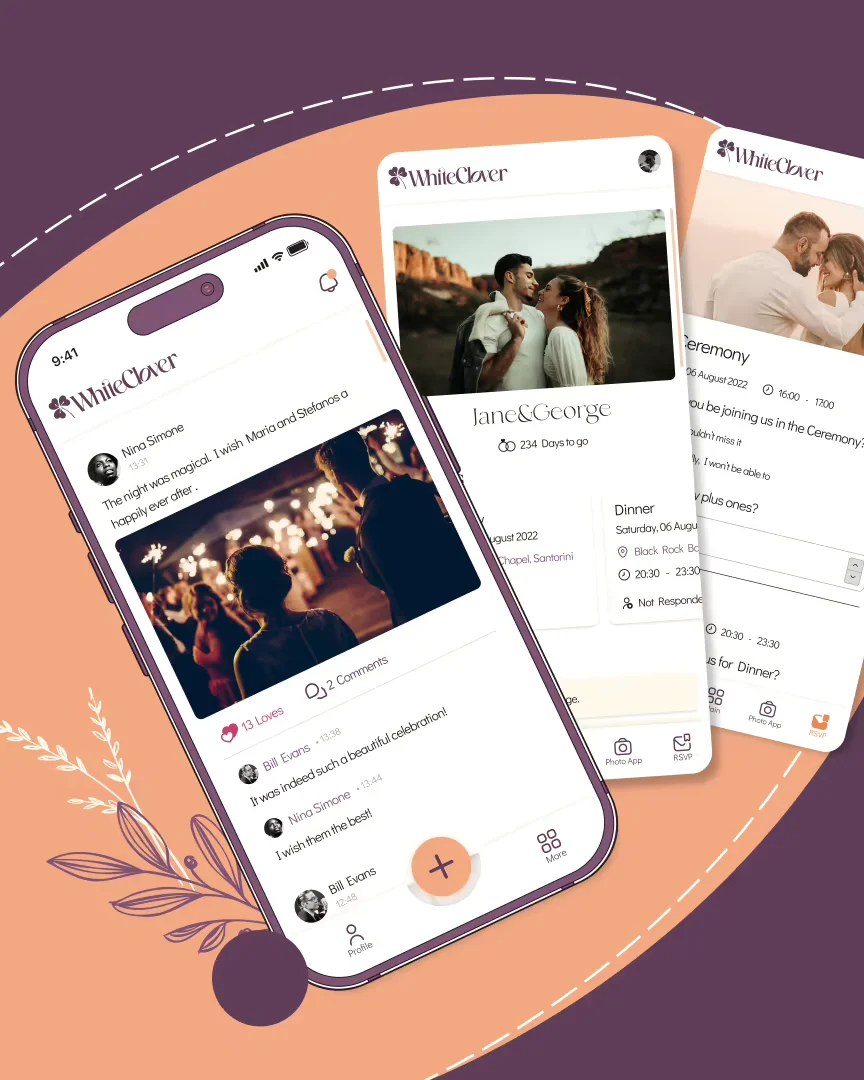
Managing responses across texts, emails, and a half-trusted spreadsheet is exactly the kind of low-grade stress that drains the joy out of planning. WhiteClover's online wedding RSVP tool tracks replies in real time, sends the reminders for you, collects dietary information, and updates your guest list the moment a guest responds, so your seating and your numbers are always current. It sits inside a wider planning hub that handles your wedding website, table management, budgeting, and a private photo space for guests, all digital and built so planning feels manageable rather than relentless. Create your free account at WhiteClover and see how much calmer the run-up feels when every RSVP lands in one place.
Frequently asked questions
How many RSVPs should I expect from my guest list?
We can't give you an honest percentage, because we haven't measured one, and any single figure would hide the two things that actually decide yours: how far your guests have to travel, and how much of your list is close family rather than acquaintances. A wedding an hour from home holds far more of its list than one that needs flights, a ferry and three nights of accommodation. Forecast your own instead of borrowing an average. Split the list into tiers by closeness, put a yes rate against each tier that you genuinely believe for those people, and total it. Then track the real replies against that forecast as they land and correct it, so by your deadline you are working from your actual numbers rather than an estimate.
What should I do if guests miss the RSVP deadline?
Send a warm, personal follow-up by email, text, or phone, and include a direct link to your form so replying takes seconds. Most late responders are simply busy, not declining, and a friendly nudge is almost always welcomed.
Is a digital RSVP system really more eco-friendly?
Yes. Going digital removes the paper, ink, envelopes, and postage tied to traditional reply cards, which adds up quickly across 100-plus invitations, and replies come back faster, too.
What is a typical no-show rate after guests say yes?
We don't have a measured figure for this, so we won't invent one. What is reliably true is that the gap exists: a few of the guests who confirm will not arrive, through illness, delays and genuine emergencies. Handle it in the catering order rather than the guest list. Ask your caterer what they see at your venue and how far under your confirmed number you can safely order, agree a figure with them, and keep your dashboard current so any late decline reaches them while it can still change the order.
How do I protect guest privacy when collecting RSVPs online?
Use a platform that encrypts personal data and complies with GDPR, and avoid gathering replies through public forms or shared spreadsheets. Keep dietary and contact details inside a secure system rather than open links.
Recommended
Written by
Marios P
Part of the WhiteClover team, helping couples and hosts plan unforgettable events with modern digital tools. Passionate about simplifying the celebration planning journey.
You Might Also Like
 Guest Experience
How to Organise Wedding Guest Lists for Stress-Free Events
Learn how to organise wedding guest lists efficiently with a step-by-step guide focused on digital tools.
 Invitations
How to Handle 5 Common RSVP Challenges for Your Wedding
Late replies, surprise plus ones and guests who never answered: five RSVP problems and what to do, starting with a deadline two weeks early.
 Guest Experience
How to Manage Your Wedding Guest List Calmly
Manage your wedding guest list calmly: budget-first caps, household rules, plus-ones, family diplomacy, A and B lists, and one single source of truth.