Advertisement
 Sponsored
Planning a wedding is essentially a full-time job where you are also the client, the financier, and the HR department. To keep your sanity and stop your phone from buzzing with the same three questions about parking, start times, and dress code, a wedding website is objectively the easiest way to go. Sharing your wedding website with guests turns one link into your single source of truth: schedule, RSVP, maps, and (with platforms like WhiteClover) a private photo gallery, all in one place. This guide covers the most efficient way to keep your guests in the loop - where to put the link, how to use QR codes and digital invites, and the etiquette that keeps your celebration personal and stress-free.
Whether you send digital save the dates, paper invitations, or a mix of both, you will learn how to announce your wedding website so guests find everything they need and you can focus on your love story instead of repeating the same details a hundred times.
Plan Your Event
One platform for every occasion: weddings, baptisms, corporate events and private parties.
The "Single Source of Truth": Why a Wedding Website Works
Your wedding website is your central hub for event details, RSVPs, and (with platforms like WhiteClover) a private guest experience including photo sharing. Instead of texting everyone individually, you point them to one link. Modern builders handle the heavy lifting so you do not have to.
- RSVPs: Guests can respond in seconds, and the site tallies the "chicken vs. steak" (and dietary notes) for you. No spreadsheets, no chasing replies.
- Live updates: If the ceremony moves indoors due to rain or a shuttle is delayed, you update the site once and everyone sees it in real time. No mass texts or re-printed inserts.
- The registry: No one has to ask where you are registered; the link is right there on the same page.
Sharing the link clearly and at the right moment turns your website into the single source of truth - reducing "what time is the ceremony?" and "where do I park?" texts and lost paper invitations.
Pro tip: Send your wedding website link with your save the date or invitation. One link is enough; guests can bookmark it or add the page to their home screen for quick access.
What to Include on Your Wedding Website Before You Share It
Before you send the link, make sure your wedding website is ready for guests. If you are still building it, our step-by-step wedding website creation guide walks you through the essentials. A polished site builds trust and makes the share your wedding website step worthwhile.
| Section | What to include | Why it helps |
| Event schedule | Ceremony, cocktail hour, dinner, shuttle times | Guests know the timeline at a glance |
| Venue & directions | Address, map link, parking, transport | Fewer "where do I park?" questions |
| RSVP | Simple form or link to confirm attendance | You get a clear headcount and dietary notes |
| Travel & accommodation | Hotels, area tips | Essential for destination weddings |
| Dress code | Short, clear description | Reduces last-minute outfit stress |
| Registry | Link to your gift registry | Guests find it without asking |
| FAQs | Kids, plus-ones, dietary options | Handles tricky topics in one place |
Your wedding website is also the ideal place to clarify plus-ones and children, so you are not explaining the same thing in dozens of messages. With WhiteClover, the same link can lead guests to the schedule, RSVP, and a private photo gallery where they can upload and view photos, no separate app download required.
Getting Your Wedding Website URL Ready to Share
To share your wedding website with guests, you need a link that is easy to send and, if you use one, a passcode that is easy to remember.
- Keep the URL simple: If your platform allows a custom or short URL, use one that includes your names or wedding date so guests can recall it (e.g. yournames.wedding or a short WhiteClover link).
- Passcode (if you use one): Choose something guests will remember, such as your wedding date (e.g. 150925 for 15 September 2025) or a short word you share only with invited guests.
- One link for everything: With WhiteClover, one link gives guests access to the schedule, venue, RSVP, and the guest experience (including photo uploads). That means you only need to share and maintain a single URL.
How to Announce Your Wedding Website (Etiquette That Works)
Your wedding website is live, your RSVP is open, and you have the link ready. How and when should you share your wedding website with guests?
Avoid posting the link on social media. Sharing your wedding website publicly can create confusion or hurt feelings about who is and is not invited. Keep the link for invited guests only.
Share directly with each guest through:
- Save the dates: Especially for destination weddings, including the wedding website link on your save the date helps guests plan travel and accommodation early.
- Wedding invitations: Whether you send paper or digital invitations, include the link so guests know where to find details and how to RSVP online.
- Email or messaging: A short message with the link (e.g. "For full details and to RSVP, visit: [link]") is clear and personal.
Including your wedding website link on your invitations is also how you collect RSVPs online. When the link is easy to find, guests can confirm attendance in one place, and you get a clear, up-to-date guest list without chasing replies.
The Bridge: QR Codes on Paper Invitations
Physical invitations are beautiful, but they are not interactive. To make the jump to your digital hub seamless, QR codes are the bridge.
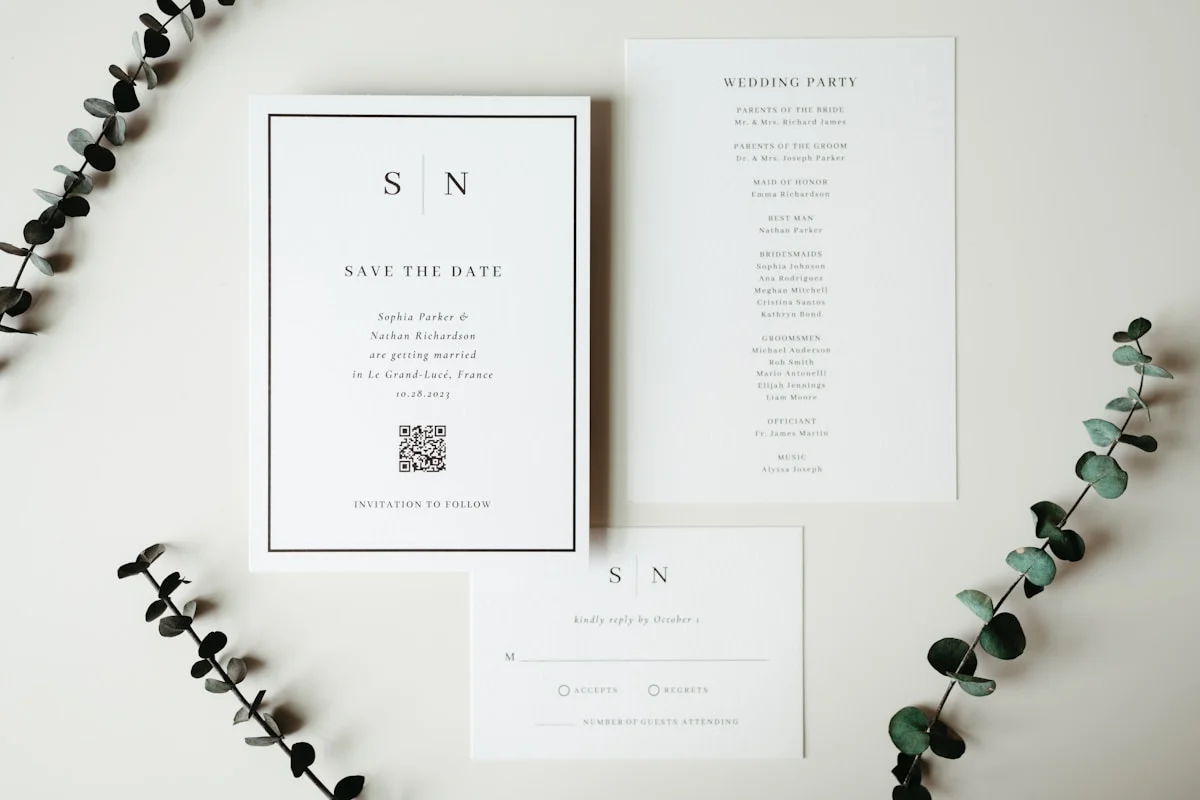
- Print a small QR code on your "Details" card or on the back of the invite. The code can link straight to your wedding website.
- Label it clearly: e.g. "Scan for schedule, RSVP, and maps." Guests scan with their phone camera and land on your site without typing a long URL.
- Why it works: It saves guests (especially less tech-savvy ones) from typing a long, custom URL into their browser. One scan and they have everything. Platforms like WhiteClover support QR-based access to the guest experience so you can add the code to place cards or signage on the day, too.
Where to Put Your Wedding Website Link on Invitations
Where exactly should the wedding website link (or QR code) appear?
- Traditional approach: Etiquette sometimes suggests an insert card with the website link rather than on the main invitation. If you prefer a very formal look and are posting paper invites, you can use a small card that says "For details and RSVP, visit: [URL]" or "Scan for schedule, RSVP, and maps."
- Modern approach: Many couples put the link discreetly at the bottom of the invitation (or in the body of a digital invite). One line is enough, no need for extra inserts. If you send digital invitations, guests can tap the link and go straight to your wedding website.
Wording ideas when you share your wedding website:
- For more information, visit: [URL]
- For event details and to RSVP, visit: [URL]
- Please RSVP by [date] at: [URL]
- For full details and to RSVP, visit: [URL] (passcode: [code] if applicable)
- Scan for schedule, RSVP, and maps (if using a QR code)
Short, clear wording helps guests know what to do and where to go.
The Paperless Route: Digital Invites
If you want to skip the post office entirely, digital invitations are a practical and eco-friendly option. Send your save the date or invitation by email or message; the wedding website link lives in the same communication.
- Instant delivery: You know exactly who received and (with many tools) who opened the message, so you can follow up with anyone who might have missed it.
- Budget friendly: You save on postage and printing, which can add up to hundreds for a large guest list.
- Automated reminders: Some platforms can automatically nudge guests who have not RSVP'd yet, so you do not have to be the "bad guy" chasing replies. You stay the happy couple; the system does the gentle reminder.
Services like WhiteClover give you shareable links and optional QR codes so you can mix digital invites with a few printed pieces (e.g. a details card with a QR code) if you like.
One Link: Schedule, RSVP, and Guest Experience
The easiest way to share wedding details with guests is to give them one link that does everything. When your wedding website and guest experience are in one place (as with WhiteClover), you avoid sending one link for the schedule, another for RSVP, and another for photos.
Guests who RSVP can use the same link to:
- View the timeline and add events to their calendar
- See venue and map information
- Upload and view photos in a private wedding gallery (no public social media)
- Find registry and practical info
That way, "Where do I RSVP?" and "Where do we upload photos?" are answered by the same URL, simple for them, stress-free for you. For more on this, see the easiest way to share wedding details with guests.
Pro-Tips for Clarity: Three Things Your Hub Must Have
To avoid 50 phone calls anyway, make sure your wedding website includes these three things, and read our guide on how to stop guests from texting you questions on your wedding day for more ways to keep the day stress-free:
- The "vibe" (dress code): Do not just say "Formal." Tell guests what to expect: for example, if they will be walking on grass, mention it so the bridesmaids do not sink in stilettos. A short, specific dress code reduces last-minute "what do I wear?" messages.
- The map: Embed or link to a Google Maps pin for the exact ceremony entrance (and reception if it is elsewhere). "Venue name" is not enough; guests want to know which gate or door to head for. One clear pin cuts down "where do I park?" and "which entrance?" texts.
- The FAQ: Address "Can I bring a plus one?" and "Are kids invited?" directly and politely on a dedicated FAQ or details section. When the answers are on the site, you avoid awkward back-and-forth and hurt feelings. Same for dietary options, parking, and timing, put it in one place and point guests there.
Pro tip: If you are worried about older relatives who are not tech-savvy, designate one "tech-support" bridesmaid, groomsman, or cousin. They can help them open the link, find the RSVP form, or add the site to their home screen. One go-to person keeps the couple off the hook and makes sure everyone stays in the loop.
Conclusion: Share Your Wedding Website With Confidence
Sharing your wedding website with guests is straightforward when you: (1) make sure the site has the key details and RSVP ready, (2) get a clear URL (and optional passcode), (3) share the link only with invited guests via save the dates or invitations, and (4) put the link in one obvious place, e.g. at the bottom of your invitation or in a short message.
Managing invitations and guest communication can feel overwhelming when you are juggling timelines, RSVPs, and last-minute questions. This guide has shown how sharing your wedding website the right way keeps everyone informed and reduces back-and-forth. WhiteClover is built for exactly that: one link for your wedding website and guest experience, schedule, RSVP, and private photo sharing in one place. Designed for modern couples who want to share their wedding with guests simply and memorably. Start your wedding website today at WhiteClover or create your account in the dashboard and share your kind of story with one link.
Frequently Asked Questions
- What is the best way to share my wedding website with guests?
Share your wedding website link only with invited guests, via save the dates or wedding invitations (paper or digital). Include the link in one clear place e.g. at the bottom of the invitation or in a short message and avoid posting it on public social media so only invited guests receive it.
- Where should I put my wedding website link on my invitations?
You can put the wedding website link discreetly at the bottom of your main invitation, or on a small insert card if you prefer a formal look. One line such as "For details and to RSVP, visit: [URL]" is enough. For digital invitations, the link can sit in the body of the message so guests can tap through directly.
- When should I send my wedding website link to guests?
Send the link with your save the date (especially for destination weddings) or with your wedding invitation. Sending it when you send the invitation helps guests find details and RSVP in one place and keeps your list up to date.
- Should I share my wedding website on social media?
It is best not to share your wedding website link publicly on social media. Doing so can create confusion about who is invited. Share the link only with invited guests via save the dates, invitations, or private message.
- Can one link handle both RSVP and wedding details?
Yes. With a platform like WhiteClover, one link can lead guests to your schedule, venue info, RSVP, and (if you use it) a private photo gallery. One URL keeps everything in one place for you and your guests.
- Should I use a QR code on my paper invitations?
Yes, if you are sending paper invites. A small QR code on your details card or the back of the invite lets guests scan with their phone and go straight to your wedding website, no typing long URLs. Label it "Scan for schedule, RSVP, and maps" so everyone knows what to do.
Recommended
Written by
Ioanna V.
Part of the WhiteClover team, helping couples and hosts plan unforgettable events with modern digital tools. Passionate about simplifying the celebration planning journey.
You Might Also Like
 Guest Experience
Easiest Way to Share Wedding Details With Guests
The easiest way to share wedding details with guests is a single wedding website: one link for schedule, venue.
 Digital Tools
Wedding Website Creation Step-by-Step
Discover step-by-step wedding website creation for couples to streamline planning, manage guests, and personalise event details using digital tools.
 Guest Experience
Stop Guest Texts on Your Wedding Day
Put the parking address, the timeline and the map where guests will actually look, so your morning is not spent answering "where do I park?" texts.