
Advertisement
 Sponsored
If you want to organise your wedding plans using Google Sheets, start with one honest idea: the sheet is not there to make your wedding feel like homework. It is there to catch details before they become arguments, forgotten payments, unanswered RSVPs, or twelve different versions of the guest list.
Google Sheets is free, familiar, and easy to share. That makes it a brilliant first tool for couples who are just getting started, especially if you are trying to plan without buying software too early. It works best when you treat it like a small planning system, not one giant tab with names, numbers, colours, and panic living in the same place.
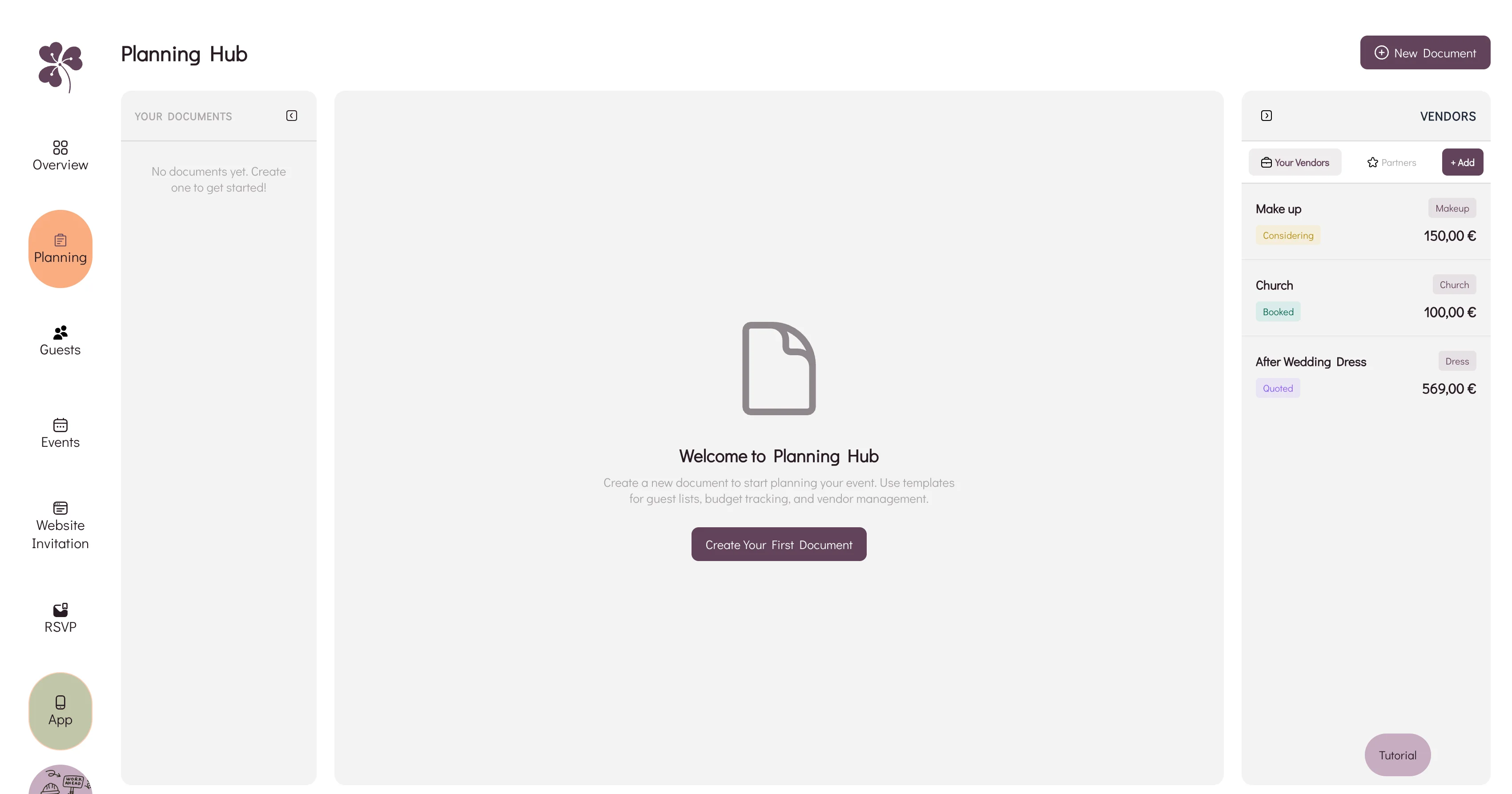
The approach below is based on how organised couples and planners actually use spreadsheets: separate tabs, clear owners, dropdowns, formulas, and a realistic view of what Sheets cannot do well. If you later outgrow the spreadsheet, a dedicated wedding Planning Hub can take over budget, vendors, notes, and guest workflows.
Plan Your Event
One platform for every occasion: weddings, baptisms, corporate events and private parties.
Start With One Workbook, Not Ten Files
Create one Google Sheets workbook called something plain, such as Wedding Plan - Maria & Alex - Master. Avoid cute file names at the beginning. They become impossible to search later.
Inside that workbook, use tabs for different jobs:
| Tab | What it tracks | Who should edit it |
| Dashboard | Headcount, budget totals, open tasks, upcoming payments | Couple or planner |
| Guest List | Names, groups, RSVP status, meals, contact details | Couple, planner, one trusted family helper |
| Budget | Estimated cost, quote, paid amount, balance, due date | Couple only, planner if you have one |
| Vendors | Contact details, quote status, deposit, contract link | Couple and planner |
| Timeline | Planning tasks by month plus day-of schedule | Couple, planner, coordinator |
| Seating Notes | Table preferences, conflicts, accessibility notes | Couple and planner |
| Payments | Deposit and balance deadlines by vendor | Couple only |
| Links & Files | Contracts, mood boards, maps, playlists, menus | Couple and planner |
The rule is simple: if a tab has a different audience or purpose, separate it. Your parents may help with addresses; they do not need to edit the photography payment plan.
Pro tip: Add a tiny "Read Me" tab first. Write the rules: who edits what, what each colour means, and when the sheet is updated. It saves awkward messages later.

Build The Guest List Tab First
Before you build it, you can start from ours if you want to skip the column design: the free wedding guest list template is a download with no email required, in Excel and CSV. Take the Excel version if any guest has an international phone number, because a CSV drops the leading plus sign on +30 and +44 numbers the moment a spreadsheet opens it.
Either way, the columns below are what matter. Build them yourself or delete the ones you do not want from ours.
The guest list drives invitations, RSVPs, catering, transport, seating, favours, and thank-you messages. If this tab is messy, every other tab inherits the mess.
Use one row per invited person, not one row per invitation. You can still group households with a Group ID column.
Recommended columns:
| Column | Example | Why it matters |
| Group ID | FAM-SMITH | Links couples, families, and households |
| Full Name | Emma Smith | For invitations and seating |
| [email protected] | Digital invites and reminders | |
| Phone | +44... | Last-minute contact |
| RSVP Status | Pending / Attending / Declined | Use a dropdown |
| Plus-One | Yes / No / Named | Controls headcount |
| Meal | Beef / Fish / Veg / Kids | Catering export |
| Dietary Notes | Gluten-free | Protects guests and vendors |
| Events | Ceremony, dinner, brunch | Multi-day planning |
| Table | 7 | Seating plan |
| Notes | Needs wheelchair access | Important logistics |
Use Data validation for RSVP status, meal choice, and events. Dropdowns stop the classic problem where one person writes yes, another writes Y, and a formula misses half the confirmations.
Useful formulas:
=COUNTIF(H:H,"Attending")
=COUNTIF(H:H,"Pending")
=COUNTIF(J:J,"Vegetarian")
If you are planning a more complex guest flow, read our guide to guest list automation and compare it with a dedicated wedding guest list. Sheets can count guests well. It cannot automatically handle family RSVP behaviour, reminder timing, or last-minute changes.
Make A Budget Tab You Can Trust
A wedding budget sheet should answer four questions quickly:
- What did we expect to spend?
- What has each vendor quoted?
- What have we paid?
- What is still due, and when?
Use categories that match real decisions, not vague labels. Instead of one row called "Decor", split it into florist, candles, signage, table styling, ceremony arch, and rentals if those are separate suppliers.
Starter budget columns:
| Category | Vendor | Estimated | Quoted | Paid | Balance | Due Date | Status | Notes |
| Venue | Villa Verde | 8000 | 8500 | 3000 | 5500 | 2026-07-15 | Deposit paid | Includes tables |
| Catering | Olive & Salt | 12000 | 11800 | 2000 | 9800 | 2026-08-01 | Contract sent | Final count due 14 days before |
| Photographer | Lina Studio | 2400 | 2400 | 800 | 1600 | 2026-09-01 | Booked | Add album later |
Use formulas:
=SUM(C2:C100)          // estimated total
=SUM(E2:E100)          // paid so far
=SUM(F2:F100)          // remaining balance
=SUMIF(A:A,"Catering",D:D)  // quoted catering total
Add conditional formatting for overdue payments and budget creep. For example, turn the Quoted cell amber when it is more than 10% above Estimated.
Keep this tab private. If family members are contributing financially, create a separate summary tab. Vendor quotes, negotiation notes, and deposits do not need to become a family group chat topic.
Use A Vendor Tracker, Not Your Inbox
Vendor planning is where free tools can really help. Couples often remember the photographer and venue, then lose the florist quote inside email, a DJ voice note, or a PDF called final_final_new.pdf.
Add these columns to the Vendors tab:
| Vendor Type | Business | Contact | Phone | Quote | Deposit | Contract | Status | Next Step | |
| Venue | Villa Verde | Sofia | +30... | info@... | 8500 | 3000 | Link | Booked | Final menu call |
| DJ | Sound Co | Leo | +44... | leo@... | 1800 | 400 | Link | Shortlist | Ask about ceremony mic |
Store contract files in Google Drive and paste the link into the sheet. Use status dropdowns such as Researching, Shortlisted, Quote requested, Booked, Rejected, and Paid.
Pro tip: Add a "Last Contacted" column. When two weeks pass with no reply, the sheet tells you who needs a nudge instead of relying on memory.
For a broader comparison of spreadsheets, apps, and all-in-one platforms, our wedding planning tools guide explains when a free spreadsheet is enough and when connected software becomes calmer.
Create Timeline Tabs For Two Different Timelines
You need two timelines, and they should not live in the same view.
The planning timeline is month-by-month: book venue, confirm photographer, send save the dates, collect RSVPs, chase menu choices, finalise seating, pay balances.
The wedding-day timeline is hourly: hair, makeup, ceremony, portraits, drinks, dinner, speeches, first dance, transport departures.
For planning tasks, use columns like:
| Task | Owner | Due Date | Status | Dependency | Notes |
| Send save the dates | Alex | 2026-05-30 | In progress | Guest list first draft | Use website link |
| Confirm catering count | Maria | 2026-08-15 | Waiting | RSVP deadline | Include kids meals |
Useful formula:
=DATEDIF(TODAY(),C2,"D")That gives you days until a deadline. Pair it with conditional formatting so tasks due in the next seven days turn red.
For the day itself, keep the sheet clean. Vendors and helpers need the schedule, not your entire planning brain. Share only the day-of tab as view-only with the people who need it.
Add Seating Notes Before Seating Becomes Emotional
A spreadsheet is not a perfect seating chart, because it does not show the room visually. Still, it can capture the notes you will need later.
Create a Seating Notes tab with:
- guest name
- group
- must sit with
- should not sit with
- table preference
- accessibility needs
- high chair or child seat
- language preference
- notes from family
Once RSVPs are stable, move into a visual tool or dedicated wedding seating chart. Sheets can count seats per table with COUNTIF, but it will not show awkward spacing, blocked sightlines, or family dynamics in the room.
Sharing Permissions: Be Generous With Views, Careful With Edits
Google Sheets works because people can collaborate. It breaks when too many people can edit the same fragile plan.
Use this permission model:
| Person | Access | Why |
| You and your partner | Editor | Full ownership |
| Planner or coordinator | Editor | Needs live planning detail |
| One family helper per side | Limited editor or commenter | Addresses, family names, corrections |
| Vendors | Viewer on selected export/tab | They need final info, not the whole workbook |
Use Protected sheets and ranges for formulas, payment totals, and dashboard cells. Use comments when you want input without letting someone overwrite a number.
Version control matters too. Before major moments, go to version history and name the version:
Before venue depositGuest list before invitationsRSVP deadline snapshotFinal seating sent to venue
This gives you a rollback point if someone sorts one column without sorting the whole table.
RSVP Limitations: Where Google Sheets Starts To Struggle
Google Sheets can track RSVPs. It is not, by itself, an RSVP system.
The gap appears when replies arrive through email, text, WhatsApp, Instagram, paper cards, phone calls, and a cousin who tells your mum at Sunday lunch. Someone still has to enter the data, chase pending guests, update meals, protect private notes, and handle plus-ones consistently.
If RSVPs are simple, use a Google Form connected to your sheet. Keep questions short:
- Will you attend?
- Which events will you attend?
- Meal choice
- Dietary requirements
- Song request or note
For family groups, multi-day weddings, travel details, and reminders, consider moving RSVPs into a proper wedding RSVP flow. The goal is not to abandon Sheets immediately. It is to avoid pretending a spreadsheet can behave like a guest communication system.
When To Move Beyond Google Sheets
Stay with Sheets if your wedding is small, your guest list is stable, and you enjoy maintaining the system. Move beyond it when connected information matters: RSVP answers feeding seating, guest details powering emails, vendor costs updating budget totals, or timelines shared selectively.
WhiteClover's Planning Hub is built for that next stage. You can still think in tables and checklists, but your budget, vendor notes, guest details, and planning documents live in one workspace.
FAQ
What tabs should a wedding planning Google Sheet include?
Start with Dashboard, Guest List, Budget, Vendors, Timeline, Seating Notes, Payments, and Links & Files. Add more only when a new tab has a clear job. Too many tabs can be as confusing as too few.
Can I use Google Sheets for wedding RSVPs?
You can track RSVPs in Sheets, and you can connect a Google Form for simple responses. The limitation is follow-up: reminders, group RSVPs, changes, private notes, and guest communication still need manual work unless you use a dedicated RSVP tool.
WhiteClover CTA
Managing wedding plans in Google Sheets can be genuinely helpful, especially when you are trying to turn scattered ideas into a first structure. But as your guest list, budget, vendors, and timeline begin to affect one another, manual updates can become the new source of stress.
WhiteClover helps modern couples keep planning practical without losing the story of the day. Use the Planning Hub to organise budgets, vendors, notes, and checklists, then connect the guest side with RSVPs, schedules, photo sharing, and your wedding website.
Written by
Ioanna V.
Part of the WhiteClover team, helping couples and hosts plan unforgettable events with modern digital tools. Passionate about simplifying the celebration planning journey.
You Might Also Like
 Digital Tools
All-in-One Wedding Planning Tools Guide
The complete guide to all-in-one wedding planning tools: what they are.
 Digital Tools
Best Wedding Planning Software: How to Choose
How to choose the best wedding planning software for couples and planners: evaluation framework, key features, red flags, and pro questions.
 Budget & Tools
Wedding Planning Hub: Budget & Vendors
Why a spreadsheet, an inbox and a notes app stop agreeing with each other, and how WhiteClover's Planning Hub keeps budget and vendors in one view.