
Advertisement
 Sponsored
Several types of apps can help you track wedding expenses: from large wedding planning sites with built-in calculators to mobile planners and flexible spreadsheets. If you are asking which apps provide budget tracking for wedding expenses, this guide groups the main options, what they typically offer, and how to pick something that matches how you and your partner actually manage money.
Plan Your Event
One platform for every occasion: weddings, baptisms, corporate events and private parties.
Table of contents
- What wedding budget tracking apps usually do
- Free wedding budget apps: what you actually get
- Apps and platforms that commonly include wedding budgets
- Dedicated planners versus spreadsheets and Notion
- Features worth comparing before you commit
- How WhiteClover’s Planning Hub fits in
What wedding budget tracking apps usually do
At minimum, useful wedding expense tracking lets you split costs into categories (venue, catering, attire, photography, and so on), log what you have spent or committed, and see what is left compared with a target total. Stronger tools also link vendor quotes and payment due dates so you are not guessing from memory three months before the date.
We often see couples start with a single total (“we think we can spend X”) and then discover hidden lines: service charges, transport, alterations, tips. A decent app makes those lines visible early. For a step-by-step approach to building the numbers first, see step-by-step wedding budget creation made simple.
Pro tip: Add a 10 to 15% contingency category inside the app from day one; weddings rarely land exactly on the first estimate.
Free wedding budget apps: what you actually get
“Free” means different things depending on which tool you pick, so it is worth checking what actually sits behind the paywall before you build a system around it.
The large wedding-planning platforms, The Knot, WeddingWire and Zola among them, generally run on a free core with premium upgrades layered on top: paid items are usually tied to stationery, website extras or vendor-visibility features rather than the budget tool itself. In practice this tends to mean basic category tracking and an estimator are free, while more advanced reporting or export options sit on paid tiers. Confirm the current split on each provider’s own pricing page before you rely on a specific feature.
Spreadsheets cost nothing to start with, which is most of their appeal. Google Sheets, Excel and Notion give you a blank canvas: fully custom templates, but you build and maintain every formula and view yourself. That flexibility is the trade for the manual work.
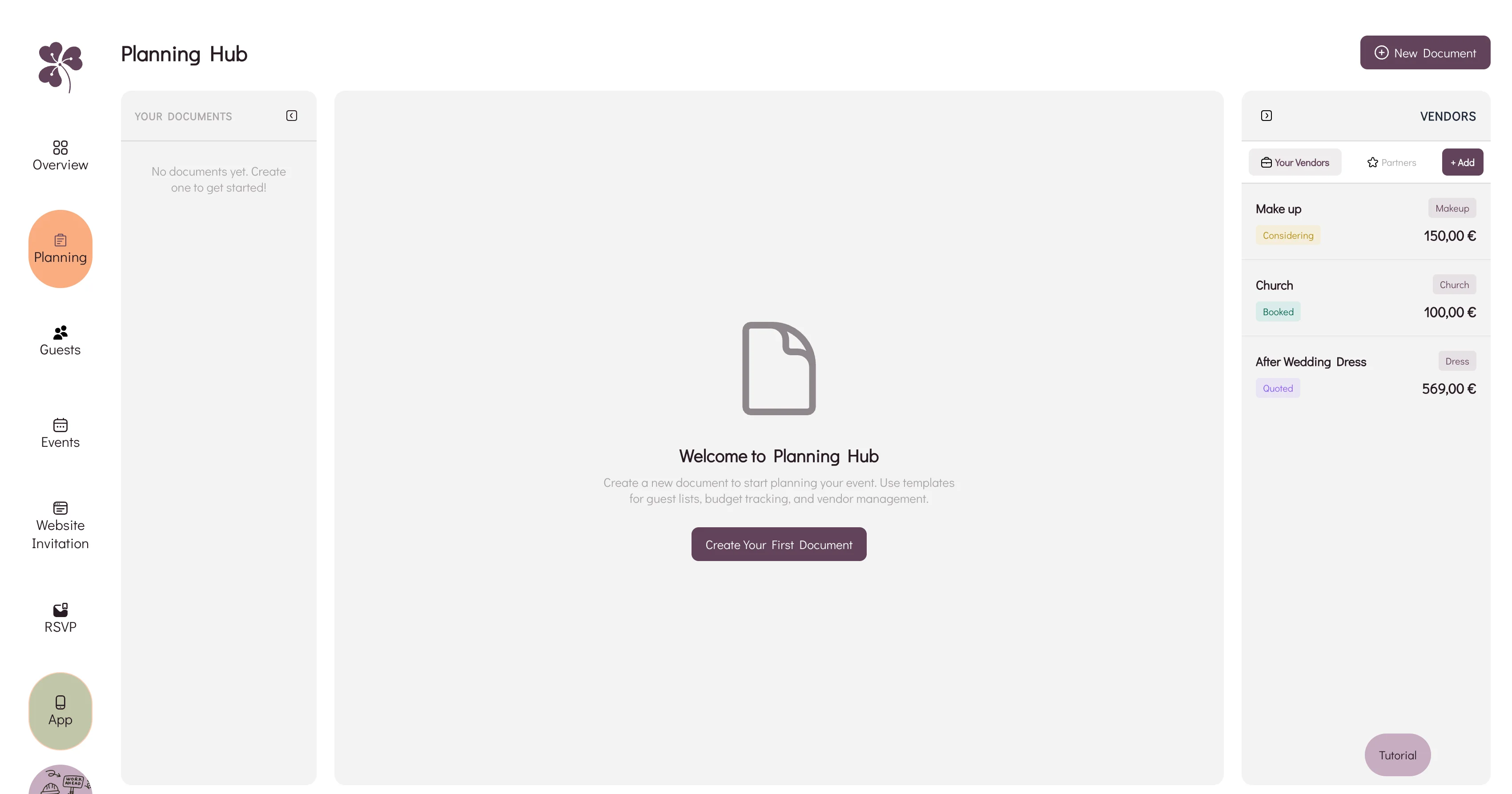
WhiteClover’s Planning Hub takes a different approach. The budget tracker, vendor management with quotes and payments, document storage, and shared notes and to-dos are all free for couples, with no card required and no subscription. You will not hit a paywall partway through setting up your categories or attaching a vendor contract. See the full list of what is free on the pricing page.
Apps and platforms that commonly include wedding budgets
Product names and features change, so always check each provider’s current site. The table below is a practical map of where budget tracking usually appears, not a ranking.
| Type | Examples (verify live features) | Budget tracking you will often find |
| Major US wedding planning ecosystems | The Knot, WeddingWire | Category-based wedding budgets, estimates, sometimes checklist integration |
| Website + registry + planning | Zola | Planning sections that include budget or cost breakdown alongside registry and site tools |
| Website and guest tools with planning | Joy (WithJoy) | Budget or expense areas within broader wedding planning workflows |
| UK-focused planning hubs | Hitched, Bridebook | Budget calculators and expense guidance aimed at local couples |
| Mobile-first wedding planners | Apps such as WeddingHappy | Task lists with budget lines and payment-style tracking on the phone |
| DIY / general tools | Google Sheets, Excel, Notion, Airtable | Fully custom templates; more manual work, maximum flexibility |
| All-in-one wedding suites | Platforms such as WhiteClover | Planning hub style dashboards that combine budget tracking, vendor notes, and other planning data in one workspace |
Some couples use personal finance apps (general monthly budget tools) for the wedding only. That can work if you are disciplined about one-off categories, but you may miss wedding-specific templates and vendor-oriented views.
Dedicated planners versus spreadsheets and Notion
Wedding-specific apps win on speed: categories, typical percentages, and language already match how the industry quotes (deposit, balance, per person). Spreadsheets and Notion win when you want total control, shared formulas, or a layout nobody else designed.
Neither is wrong. If both of you already live in Notion or Sheets, a polished wedding app that does not export cleanly may frustrate you. If you want less setup, an integrated planner or suite is usually faster.
For how digital platforms pull budget, vendors, and guests into one story, read wedding planning platforms: transforming event organisation.
Features worth comparing before you commit
When shortlisting apps that track wedding expenses, compare:
- Categories and flexibility: Can you rename lines, split deposits, and track “pending” versus “paid”?
- Currency and sharing: If you are planning a destination wedding or paying in more than one currency, does the tool handle that cleanly? Can your partner edit the same budget?
- Vendor linkage: Does the app let you attach notes, quotes, or payment dates next to supplier names?
- Visibility: Clear charts or totals at a glance beat buried tables when you are tired and deciding whether to add uplighting.
- Ecosystem: If you already use the same product for your wedding guest list or website, keeping the budget there avoids duplicate entry.
Our deeper product-side walkthrough lives in wedding planning hub: budget tracker and vendor management. For the wider toolkit landscape, see seven essential types of wedding planning tools.
How WhiteClover’s Planning Hub fits in
WhiteClover includes a Planning Hub built for couples who want wedding budget tracking next to vendor and planning work, not isolated in a separate app you forget to open. You can think of it as part of the same workspace as your guest list, website, and guest experience, so financial decisions stay tied to real suppliers and timelines.
Wedding expenses can spiral when no single place shows what is committed versus what is still an estimate. This article has outlined which kinds of apps typically offer budget tracking so you can choose deliberately: whether that is a big-name planner, a mobile checklist app, a spreadsheet, or an all-in-one suite.
If you want budget, vendors, and notes in one calm dashboard, explore WhiteClover’s planning hub and start organising your wedding finances alongside the rest of your plan on WhiteClover.
Frequently asked questions
Which apps provide budget tracking for wedding expenses?
Many do, in different forms: large wedding sites (e.g. The Knot, WeddingWire), planning and registry platforms (e.g. Zola), tools like Joy, UK hubs (e.g. Hitched, Bridebook), dedicated mobile planners (e.g. WeddingHappy), and all-in-one suites such as WhiteClover. You can also track everything in Google Sheets or Notion if you prefer a DIY template.
Is a wedding budget app better than Excel?
Wedding apps are usually faster to set up and more tailored to typical wedding line items. Excel or Sheets are better if you want custom formulas and full control. Pick based on how you like to work together.
Do free wedding planning apps include budget tracking?
Many offer basic budget or estimator features for free, with more advanced reporting or exports on paid tiers. Check the current plan details before you rely on a specific feature.
Can one app track vendor payments and due dates?
Some all-in-one planners and suites include vendor notes, payment milestones, or reminders alongside totals. Spreadsheets can do the same if you build the columns yourself.
Should we use the same app as our wedding website?
If the product’s budget tool is solid, one ecosystem reduces duplicate data. If the budget part feels weak, using a strong standalone budget app or sheet plus your website tool is perfectly reasonable.
Recommended
Written by
Marios P
Part of the WhiteClover team, helping couples and hosts plan unforgettable events with modern digital tools. Passionate about simplifying the celebration planning journey.
You Might Also Like
 Budget & Tools
Wedding Planning Hub: Budget & Vendors
Why a spreadsheet, an inbox and a notes app stop agreeing with each other, and how WhiteClover's Planning Hub keeps budget and vendors in one view.
 Digital Tools
Why Choose Wedding SaaS for Easier Wedding Planning
Discover why wedding SaaS platforms help couples organise guest lists, RSVP, timelines.
 Digital Tools
Best Wedding Planning Tools (2026): 7 Types Compared
Seven wedding planning tools, from website and RSVP to budget, vendors and guest photos, with what each costs and free and paid options for each job.