
Advertisement
 Sponsored
Wedding Planning Task Management Strategies
Most "stay organised" advice misses the point. The struggle is rarely laziness or a missing app: it is that wedding planning generates dozens of small decisions every week with no clear deadlines, no clear owners, and no shortage of family input. After 18 months of planning our own wedding while both holding demanding jobs, we stopped looking for the perfect tool and started borrowing project-management habits from work: weekly reviews, task batching, single ownership, and time-blocking. This guide is the result. It is not a list of what to plan in order, there are excellent guides like our step-by-step wedding planning guide for that. It is a system for managing the work itself, so 30 focused minutes on Sunday replace three hours of scattered evening anxiety mid-week.
Plan Your Event
One platform for every occasion: weddings, baptisms, corporate events and private parties.
Why generic checklists fail busy couples
A standard 12-month wedding checklist tells you to "book photographer at month nine, send save-the-dates at month six, finalise menu at month three". Useful, but incomplete. Some of those really are one-off jobs you can hand to a tool: a save the date that collects guest contact details as it goes turns month six into a five-minute task. Real planning weeks look different: a vendor replies with three follow-up questions, your mum forwards a Pinterest board, your venue updates a clause, an aunt sends "just three more names for the list". None of those land on a template checklist. They land in your inbox, your DMs, your head, and they accumulate.
The result is what productivity writers call the "open loop" problem: every unprocessed item costs a small piece of attention until it is decided. Couples who feel "constantly behind" are usually not behind at all. They are carrying 60 open loops they have not captured anywhere. The work is not to do more; it is to capture, decide, and assign faster, so each item moves forward or off the list in the same week it appeared.
A weekly system handles this. A static checklist does not. The shift from "I have a checklist" to "I have a planning ritual" is what produces calmer planning, and it takes one Sunday to set up.

The 30-minute Sunday review (your weekly planning ritual)
Block 30 minutes every Sunday evening, pick a recurring time, like 7:00pm with a glass of wine, and run three short steps:
- Inbox to list (10 min). Open every wedding-related email, message and note from the past week. Each item gets one of three fates: deleted, decided in under two minutes, or moved to your active list with an owner and a "decide-by" date.
- Active list review (15 min). Walk through every open item. Anything still relevant gets a date and an owner; anything stale moves to the archive; anything done gets ticked. This is the step most couples skip, and it is the most valuable one.
- Next week's three (5 min). Pick three, and only three, tasks that must move forward in the coming week. Block calendar time for each, even if it is a 20-minute call slot.
Pro tip: Run the review together for the first month, then alternate weeks. Once the rhythm is set, one of you can run it solo and report the highlights to the other in five minutes over coffee.
This 30-minute ritual is the single biggest lever we found. It replaces five to seven hours of scattered, anxious mid-week planning with one focused session, and it leaves your weeknights free.
Task batching: stop context-switching
Wedding tasks come in flavours that do not mix well: vendor calls, design decisions, admin (RSVPs, payments, contracts) and creative work (vows, speeches, music). Switching between them in the same hour is exhausting because each one demands a different mental mode.
Batching means doing one flavour at a time. We assigned days:
- Tuesday lunch (45 min): vendor calls and replies
- Sunday evening (30 min): weekly review and admin
- Saturday morning (1 hour): creative work, together
- Monday to Friday evenings: off-limits to wedding work
Friday nights stayed sacred. No spreadsheets. No vendor messaging. The wedding was not allowed to colonise our weeknights, and the rule held because we had already moved the work elsewhere.
If you are juggling planning with full-time jobs, batching matters more than any app. Five 5-minute interruptions cost more than one 25-minute focused block, and you will end the week feeling more in control. Try it for two weekends and see.
The "one owner per task" rule
Every active task needs one named owner. Not "we", one of you, by name. The owner is responsible for moving the task forward, even when both of you decide together.
Without an owner, a task stalls. With two owners, each assumes the other is doing it. With one owner, it gets done, or it surfaces at the next Sunday review with a clear reason why it did not.
The rule extends beyond the couple. If a parent offers to handle invitations, brilliant, but make it explicit. "Mum, you are the owner of invitation printing. Send me a status note by Sunday 6pm each week." Vague offers of help create more work, not less. Specific ownership, with a check-in cadence, creates real leverage.
We also recommend a workspace where the owner field is visible at a glance, not buried in a spreadsheet column. When ownership is visible, accountability follows naturally.
Active vs archive: separate doing from done
Most couples keep one giant list. By month four it has 80+ items: tasks done and never ticked, dropped ideas, decisions superseded, half-thoughts. Looking at it produces dread, not action.
Split it. Two lists, two purposes:
- Active list: everything currently being worked on or due in the next 30 days. Maximum 25 items.
- Archive: everything done, dropped, or scheduled beyond 30 days out. Reviewed monthly.
When a task is finished, it moves to the archive immediately. When something becomes irrelevant, "we are not doing favours after all", it moves to the archive with a one-line note explaining why. The active list stays short, scannable, and motivating.
Treat the archive as your project memory. Six months later, when your photographer asks about a decision you had dropped, you can find the reasoning in 30 seconds. That alone justifies the discipline. A connected wedding planning hub with budget tracker and vendor management makes this easier than juggling two spreadsheets.
Distributing the mental load (and avoiding decision fatigue)
Mental load is the invisible work of remembering, anticipating, and deciding. In most couples, one person carries far more of it than the other, usually without intending to. Wedding planning amplifies this if you are not careful.
Two practices balance it:
Split categories, not tasks. Instead of dividing each task case by case, split whole categories. One of you owns vendors and venue; the other owns guest list, RSVPs, and travel. Within each category, you decide together, but only the owner tracks it day-to-day. This halves the mental load instantly.
Decide-by defaults. Every choice gets a "decide-by" date and a default if you miss it. "Pick chair style by 14 March, default to the cheapest reasonable option." Decision fatigue comes from infinite open choices. Defaults close them gently.
Expect to make fewer choices than the planning industry tells you to. The market sells 47 decisions; in practice, around 12 actually shape the day. Date, venue, photographer, music, food, dress, suit, invitations, guest list, accommodation, ceremony, and reception flow. Everything else is a smaller choice that does not deserve a 90-minute Thursday lunch, or a wedding planning checklist that quietly becomes a stress generator.
Time-block vendor calls: don't react to emails
Vendor communication is the silent admin tax of wedding planning. Florists, photographers, caterers, venues, DJs, each sends two or three messages a week, and reactive replying eats your evenings.
Block one 45-minute slot per week for all vendor work. Read every message. Reply to all of them in that block. Schedule any follow-up calls within the same block in future weeks. Outside that slot, vendor messages can wait. They almost always can.
Two practical tips:
- Use canned replies for common asks ("Yes, the deposit went out on the 14th, receipt attached"). Repetition is the enemy of speed.
- For complex decisions, ask vendors to send their recommendation, not options. "What would you do?" beats "here are six options" because they have the experience and you have decision fatigue.
When you stop reacting and start batching, vendor relationships actually improve: your replies are more thought-through, your questions sharper, and you stop sending half-finished emails at 11pm.
Cut admin time with one connected tool
Once you have weekly reviews, batching, and clear ownership, the right tool amplifies them. The wrong tool fragments them.
What works: one workspace where guest list, RSVP responses, vendor contacts, budget, and timeline live together. When the guest list updates, the RSVP form updates, the seating draft updates, and the caterer's number updates, automatically. No copy-paste, no reconciliation calls, no late-night spreadsheet panic.
That is what the WhiteClover planning hub is built for: a connected workspace that takes admin off your weekly review instead of adding to it. The time you get back comes from the reconciliation work that disappears, not from better notifications: when the guest list, the RSVP form, and the seating draft are the same record, there is no second copy to check against the first.
What we strongly believe
Here is the single belief we want you to take from this post: planning calmly is a system, not a personality. You do not need to be more organised, more disciplined, or more "Type A". You need a 30-minute weekly ritual, batched work, named owners, and a default for every decision.
Set those four things up. It takes one Sunday, and the rest of the year becomes a series of small, predictable steps instead of a 12-month run of low-grade dread. We have seen these strategies work for couples managing weddings around full-time jobs, around toddlers, around moves, and around international families. Pick the one that feels easiest to start with this week, and build from there.
Frequently asked questions
How long should our weekly wedding planning review take?
Aim for 30 minutes once a week. Anything longer usually means you are trying to do tasks during the review instead of triaging them. The point is to capture, decide, and assign, actual task work happens in batched blocks during the rest of the week.
How do we split wedding planning if one of us is much busier?
Split by category, not by task. Give the busier partner a smaller category (e.g. music and transport) and ask them to own it fully. The less-busy partner takes guest list, RSVPs, and vendors. You decide together; one of you tracks. That is how you balance mental load without micro-managing each other.
What do we do when family insists on adding tasks to our list?
Politely accept the input, then make ownership explicit. "Mum, that is a great idea, would you be the owner? Send me a status update by Sunday 6pm each week." Most well-meaning suggestions evaporate when ownership is requested. The ones that stay are the ones genuinely worth doing.
How do we avoid decision fatigue with so many wedding choices?
Two rules: decide-by dates on every open choice, and a default if you miss the date. "Pick chair style by 14 March or default to the cheapest reasonable option." Defaults turn infinite choices into bounded ones. Also remember: most "options" do not matter. Twelve decisions shape the wedding; the other 35 are smaller details that benefit from a fast default.
Do digital wedding planning tools really save time?
They save time only when they replace fragmented sources of truth, not when they sit alongside them. The benefit is not the app's features; it is the elimination of reconciliation work between guest list, RSVPs, and seating. How much a hub is worth to you therefore depends on how fragmented your setup is today: if the same names currently live in three places, what you save is the third copy and all the checking that goes with it.
Recommended reading
Written by
Konstantinos P
Part of the WhiteClover team, helping couples and hosts plan unforgettable events with modern digital tools. Passionate about simplifying the celebration planning journey.
You Might Also Like
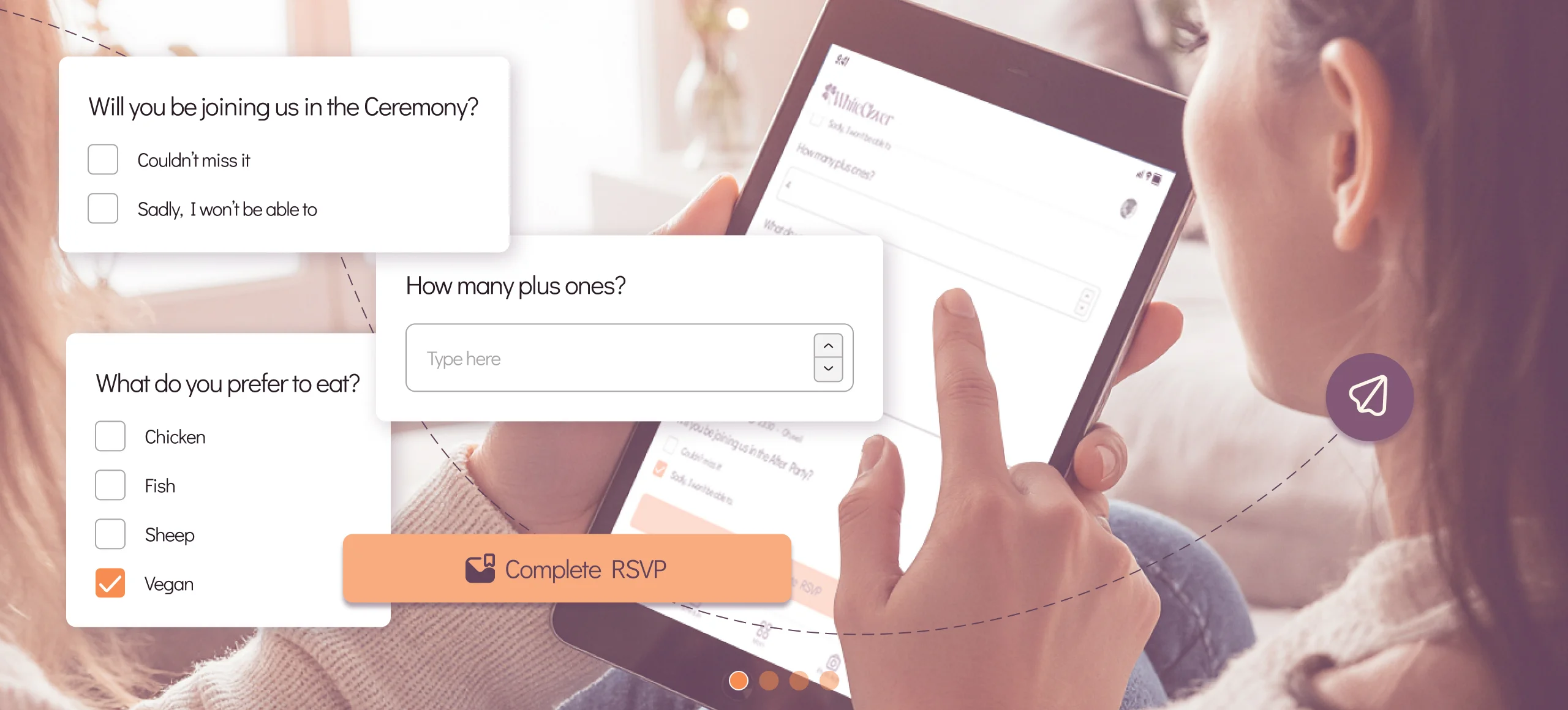 Checklists
7 Steps for a Seamless Wedding Planning Checklist 2026
Discover the essential wedding planning checklist 2026 with 7 expert steps for engaged couples seeking effortless, eco-friendly event management in Greece.
 Wedding Planning
Wedding Planning Step by Step (2026)
Wedding planning step by step: a clear timeline from budget to vendors, guest list, website, RSVPs, and week-of logistics, without the overwhelm.
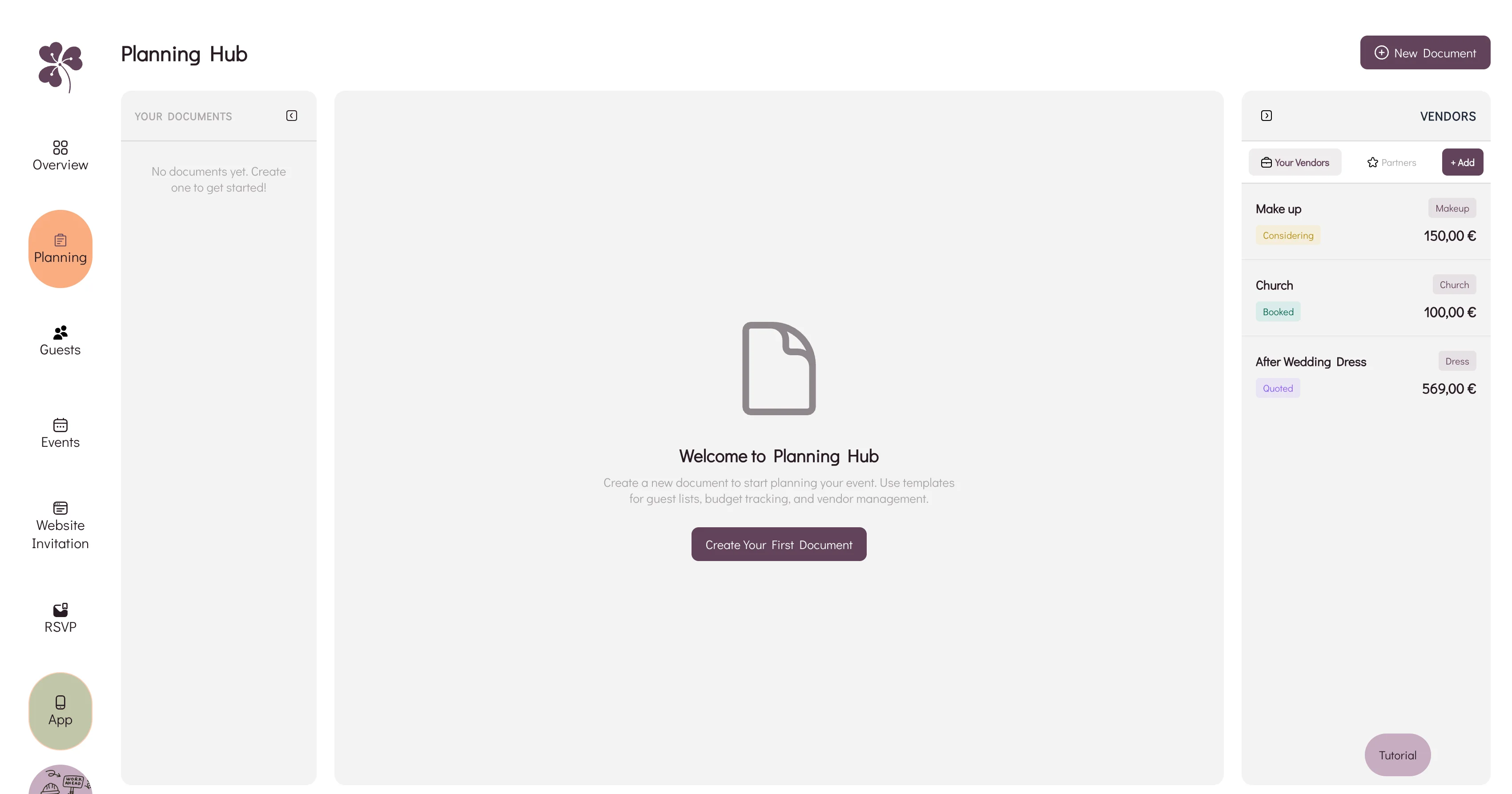 Budget & Tools
Wedding Planning Hub: Budget & Vendors
Why a spreadsheet, an inbox and a notes app stop agreeing with each other, and how WhiteClover's Planning Hub keeps budget and vendors in one view.