
Advertisement
 Sponsored
A wedding budget spreadsheet can be either a calm planning tool or a place where numbers go to hide. The difference is not whether you use Excel, Google Sheets, or Numbers. It is the structure you build before the quotes, deposits, family contributions, payment deadlines, and last-minute extras start arriving.
Most couples begin with a simple list: venue, food, dress, photographer, music. That is a fine first page, but it is not enough once real planning begins. A useful spreadsheet should tell you four things quickly: what you planned to spend, what you are actually committed to, what has already been paid, and what still needs attention.
Plan Your Event
One platform for every occasion: weddings, baptisms, corporate events and private parties.
Start With A Budget Summary Tab
Before you list every vendor, create a summary tab. This is the page you will open when you want the truth in 30 seconds.
Include:
- Total wedding budget
- Confirmed income or contributions
- Estimated total spend
- Actual committed total
- Paid so far
- Remaining balances
- Buffer remaining
- Next payment due
The summary tab should pull numbers from the detailed tabs, not rely on manual typing. If you update the catering deposit, the paid total should update automatically. If the florist quote increases, the variance should change without you touching the summary.
Pro tip: Do not put your dream budget and real budget in the same cell. Keep one line for "target" and one line for "actual committed". That tiny separation saves many arguments.
Use One Row Per Cost, Not One Row Per Vendor
A common spreadsheet mistake is giving each vendor one row. That works until one vendor has several payment stages or cost types.
For example, your venue may include:
- venue hire
- catering minimum
- bar package
- cleaning fee
- extra hour fee
- security deposit
If all of that sits in one cell, you cannot see what changed. Use one row per cost item instead, even if you still group rows by category or vendor.

The Columns Your Wedding Budget Spreadsheet Needs
Here is a practical column structure that works for most weddings, from a small restaurant celebration to a destination weekend.
| Column | What It Tracks | Example |
| Category | The spending area | Venue, catering, flowers |
| Item | The specific cost | Ceremony flowers |
| Vendor | Supplier or person paid | Meadow Florals |
| Estimate | What you expected | 1,200 |
| Quote / Actual | Confirmed price | 1,450 |
| Deposit Paid | Amount already paid | 400 |
| Balance Due | What remains | 1,050 |
| Due Date | Payment deadline | 2026-08-15 |
| Payment Owner | Who will pay or chase it | Alex |
| Payment Method | Card, transfer, cash, cheque | Bank transfer |
| Status | Planned, booked, paid, cancelled | Booked |
| Variance | Actual minus estimate | +250 |
| Notes | Contract, inclusions, questions | Includes delivery |
You can add a currency column if you are paying suppliers in more than one currency. That matters for destination weddings, international couples, or weddings where one family is contributing from abroad.
For broader organisation, pair this with the WhiteClover Planning Hub, where budget, vendor notes, tasks, RSVPs, and guest details can sit together.
Formulas In Plain Language
You do not need to be a spreadsheet expert. You need a handful of formulas that answer practical questions.
| Formula | Plain-Language Meaning |
| Total estimated spend | Add every number in Estimate. |
| Total actual spend | Add every confirmed quote or actual cost. |
| Balance due | Actual cost minus deposit paid. |
| Variance | Actual cost minus estimate. |
| Buffer remaining | Original buffer minus overruns and surprise costs. |
If the florist costs 1,450 and you paid a 400 deposit, the balance due is 1,050. If you set aside 2,000 for surprises and have already used 1,300, your buffer is not 2,000 anymore. It is 700.
Track Deposits Like Real Money
Deposits feel smaller than final payments, but they are still part of your wedding spend. Record them the day they leave your account.
For every deposit, note the amount, date paid, payer, payment method, receipt link, refund rules, remaining balance, and next due date.
The refund rules matter more than couples expect. Some deposits are refundable until a certain date. Some are non-refundable from the moment you book. Some transfer to another date if weather, illness, or travel problems change the plan. Put the real rule in your notes column, not "check contract later".
If multiple people are paying, add a payment owner column. Your spreadsheet should show whether the venue deposit came from you, your partner, a parent, or a shared wedding account.
Build A Due Date View
Your budget spreadsheet should also warn you about timing.
Add a filter or separate tab for upcoming payments:
| Due Date | Vendor | Item | Balance Due | Owner | Status |
| 2026-06-01 | Photographer | Second payment | 800 | Sam | Due soon |
| 2026-06-15 | Venue | Catering balance | 4,500 | Priya | Not paid |
| 2026-07-01 | Florist | Final balance | 1,050 | Sam | Not paid |
Review this tab once a week. In the final month, review it twice a week. Wedding stress often comes from deadlines that were technically written down but not visible.
For the wider timeline, see this wedding planning checklist.
Use Variance To Make Decisions Early
Variance is the difference between what you hoped something would cost and what it actually costs. It is one of the most useful columns in the whole spreadsheet.
Do not wait until you are over budget overall. Watch variance by category.
If catering is 1,800 over estimate, ask:
- Is the guest count higher than planned?
- Did we choose a more expensive menu?
- Are service fees, rentals, or drinks included?
- Can we reduce another category without hurting the day?
- Does this need to come from the buffer?
Small overruns are normal. Silent overruns are dangerous. If you see the variance early, you can decide calmly.
Keep A Real Buffer, Not A Fake One
A wedding budget without a buffer is usually unfinished. Build in 10-15% for changes, tips, delivery fees, alterations, transport, weather plans, currency movement, extra meals, or forgotten small items.
Put the buffer in its own row and protect it. Do not spend it on nicer napkins in month two unless you are happy to lose that safety net later.
An intentional upgrade is, "We care deeply about photography, so we are moving 700 from decor to photo coverage." A budget leak is, "Every quote came in a bit higher and we never adjusted the plan."
For hidden costs, read our guide to avoiding unexpected wedding planning costs.
Handle Currency Before It Handles You
For destination weddings or international couples, currency needs its own rule.
Add columns for original currency, original amount, exchange rate used, converted amount, conversion date, and payment fee.
Do not mix pounds, euros, and dollars in one total without conversion.
Use one main planning currency for your summary. Keep the original currency visible for invoices and transfers, then update the converted amount before big decisions.
Set Shared Editing Rules
Shared spreadsheets are helpful until three people start changing formulas, adding rows in different formats, or marking payments as complete without receipts. Agree on rules:
- one person owns the structure
- contributors can update assigned rows
- formulas are locked or protected
- payment status changes need a date and receipt note
- comments are used for questions, not hidden in random cells
- no one deletes a row without marking it cancelled first
If parents or a planner need visibility but should not edit, use view-only access. If a family member is contributing money, give them a clear contribution tab instead of full control over the budget file.
Mistakes To Avoid
The most common spreadsheet mistakes are small at first and expensive later: using estimates after real quotes arrive, forgetting service charges or delivery, tracking deposits but not balances, leaving due dates inside contracts, mixing currencies without conversion, letting everyone edit formulas, not recording who paid what, treating vague family promises as confirmed money, and forgetting to reduce the buffer after overruns.
Your spreadsheet does not need to be beautiful. It needs to be reliable.
A Simple Weekly Budget Ritual
Set a 20-minute weekly check-in and review the same questions every time:
- Did any quote change this week?
- Did we pay any deposits or balances?
- What is due in the next 30 days?
- Which category has the biggest variance?
- Is our buffer still real?
- Are any family contributions pending?
- What decision do we need to make before the next payment?
This ritual keeps the spreadsheet alive. A budget file updated once a month is usually a history document, not a planning tool.
When A Spreadsheet Is No Longer Enough
Spreadsheets are excellent for structure and calculations. They are less good at connecting your budget to the rest of the wedding.
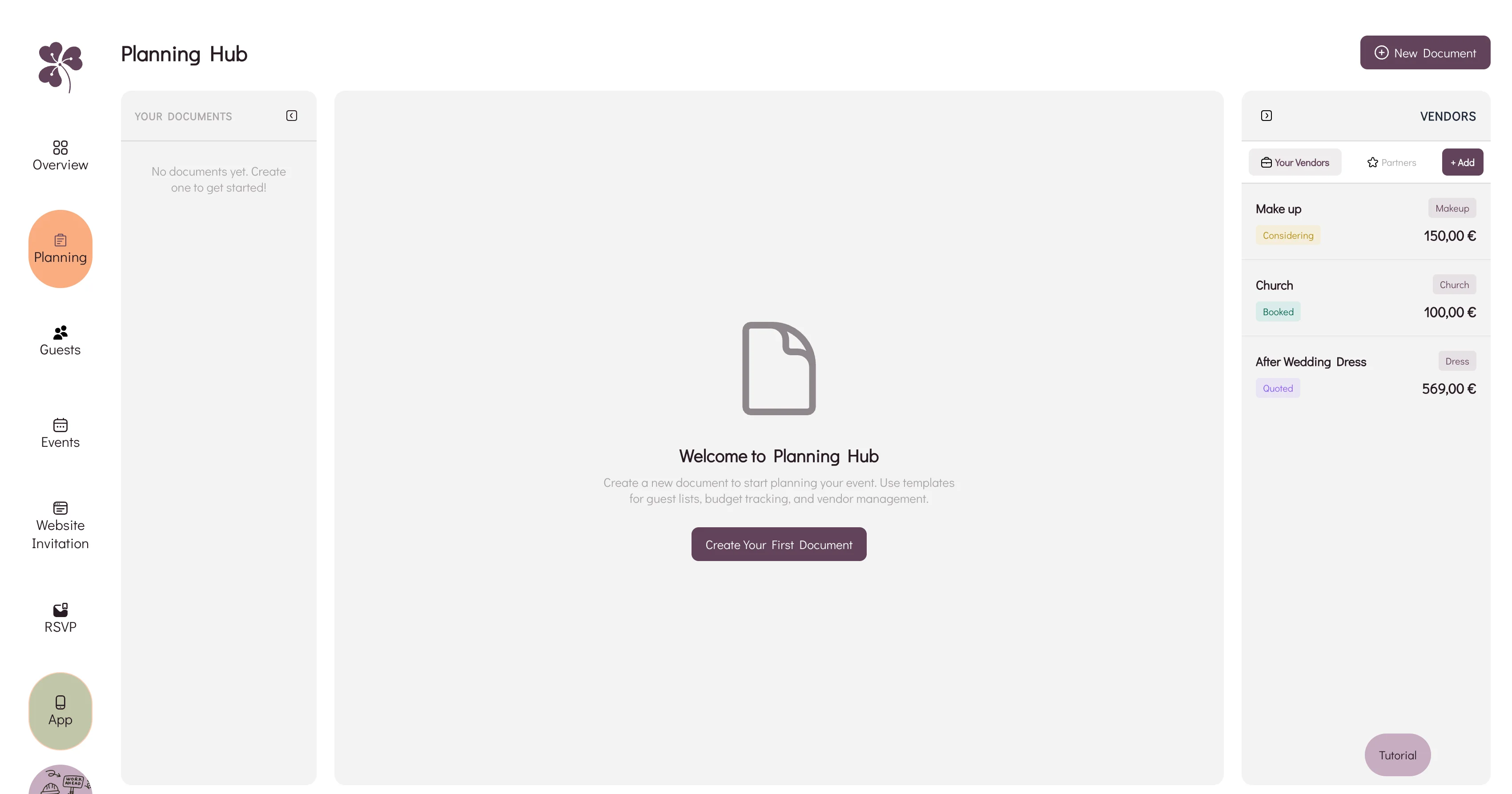
If you are also managing RSVPs, the wedding seating chart, vendor notes, contracts, guest messages, and tasks, the spreadsheet may still work while the system around it gets messy. WhiteClover's Planning Hub keeps budget planning, vendor information, guest lists, and tasks in one place, so you are not matching a payment row to an email thread at midnight.
FAQ
What is the best spreadsheet for a wedding budget?
Google Sheets is best for most couples because it is easy to share. Excel is strong if you prefer more control. The tool matters less than the structure: estimate, actual, paid, balance, due date, owner, and variance.
How often should we update our wedding budget spreadsheet?
Update it whenever money moves or a quote changes. Review it weekly during normal planning and twice a week in the final month.
Should family contributions go in the spreadsheet?
Yes. Add confirmed family contributions with the amount, expected date, and payer. If someone says they will cover flowers, record whether that means a fixed amount, the full invoice, or a contribution after the wedding.
How much buffer should a wedding budget include?
Most couples should keep 10-15% of the total budget as a buffer. Use the higher end for destination weddings, outdoor weddings, or multiple currencies.
Is a budget app better than a spreadsheet?
A spreadsheet is flexible and familiar. A budget app or planning platform is better when you want payments, vendors, guest details, tasks, and deadlines connected.
Final Thought
Managing a wedding budget is not about removing joy from planning. It is about giving your joy a container, so the celebration can grow without quietly taking over your savings, your conversations, or your sleep.
Use your spreadsheet to make money visible: estimates, deposits, balances, due dates, owners, variance, and buffer. Then use your planning tools to keep those numbers connected to real decisions. Designed for modern couples who want fewer surprises and more clarity, WhiteClover helps bring budget, vendors, guests, and tasks into one calmer workspace.
Written by
Nicole V
Part of the WhiteClover team, helping couples and hosts plan unforgettable events with modern digital tools. Passionate about simplifying the celebration planning journey.
You Might Also Like
 Budget & Tools
Best Wedding Budget Apps: Track Every Expense [2026]
Which wedding budget app should you use? We compare dedicated planners, spreadsheets and Notion on vendor payments, due dates and shared access.
 Budget & Tools
Avoid Unexpected Wedding Planning Costs
Avoid unexpected wedding costs: contingency, clear vendor contracts, accurate headcounts, and one budget tracker. Practical tips for stress-free planning.
 Budget & Tools
Wedding Planning Hub: Budget & Vendors
Why a spreadsheet, an inbox and a notes app stop agreeing with each other, and how WhiteClover's Planning Hub keeps budget and vendors in one view.