
Advertisement
 Sponsored
The most affordable wedding planning tools are usually the ones that match how you already organise your life: a shared Google Sheet, a calendar, Trello, Notion, Airtable or a free wedding platform that keeps guests, vendors, RSVP and budget in one place.
The trap is choosing only by price. A free tool that makes you copy the guest list into five different places can become expensive in evenings lost to admin. A paid tool is not automatically better either. The best budget-friendly wedding planning setup should answer three questions quickly: what still needs doing, what have we committed to spending, and who needs to know the latest information?
Plan Your Event
One platform for every occasion: weddings, baptisms, corporate events and private parties.
The Quick Answer
If you want the lowest cash cost, start with Google Sheets, Google Calendar and a notes app. If you want the lowest total cost, including your time, move key wedding tasks into one central workspace once the guest list, vendor payments and RSVP details become active.
For many couples, a sensible stack looks like this:
- A spreadsheet for the first budget draft.
- A shared calendar for deadlines and payment dates.
- A notes or board tool for ideas, vendor shortlists and open questions.
- A wedding-specific tool for guest list, RSVP, website, seating, budget and vendor tracking.
WhiteClover's Planning Hub fits that fourth role for couples who want free planning tools tied to the rest of the wedding flow, rather than a separate document that slowly becomes stale.
What "Affordable" Really Means
Affordable does not always mean free. In wedding planning, the real cost of a tool includes:
| Cost type | What to check | Why it matters |
| Cash price | Free plan, one-off fee, subscription, add-ons | A low monthly price can add up over a long engagement |
| Setup time | Templates, imports, learning curve | Complex tools can cost you a weekend before they help |
| Duplicate work | Does data move between budget, RSVP, seating and vendors? | Copy-paste mistakes create stress and wrong numbers |
| Collaboration | Can your partner, planner or family contributor see the right view? | Weddings often involve more than two decision-makers |
| Exit plan | Can you export data or keep access after the wedding? | You do not want vendor notes locked away later |
The cheapest tool is the one that gives you enough structure without making the wedding feel like a second job. A spreadsheet may be perfect for early budgeting. A wedding app may be better once RSVPs, dietary requirements and seating enter the picture.
Tool-by-Tool Comparison
Use this table as a shortlist, not a ranking. The right answer depends on the size of your wedding, how many people are helping, and how comfortable you are with manual setup.
| Tool type | Typical cost | Best for | Watch out for |
| Google Sheets / Excel | Free or already included | Budget drafts, guest list, payment tracker, simple seating notes | Easy to break formulas; no built-in guest experience |
| Calendar apps | Free or included | Vendor calls, deposit dates, menu tasting, dress fittings | Great for dates, weak for notes and decisions |
| Notes apps | Free or low-cost | Ideas, screenshots, vendor questions, quick decisions | Can become a pile of unstructured notes |
| Trello / Kanban boards | Free plans available | Visual task tracking, owner assignment, "to do / doing / done" workflows | Budget and guest data need another tool |
| Notion | Free or low-cost for many couples | Custom wedding hub, checklists, vendor database, mood boards | Flexible enough to become overbuilt |
| Airtable | Free plan with limits | Structured vendor database, guest list, payment records | More setup than a spreadsheet; limits may matter |
| Wedding apps and platforms | Free to subscription or paid upgrades | Wedding-specific templates, RSVP, website, guest list, seating, budget | Some are tied to a region, registry model or premium features |
| WhiteClover | Free core tools with optional paid unlocks | Planning hub, budget, vendors, guest list, RSVP, website, seating and guest experience together | Best value when you want more than a standalone spreadsheet |
Spreadsheets: Still the Best Starting Point
Spreadsheets are the most affordable wedding planning tool because they are familiar, shareable and flexible. You can create tabs for budget, vendor quotes, deposits, guest names, gifts, transport, accommodation and tasks. If you are early in planning and still deciding whether the wedding is 60 guests or 160, a sheet is often enough.
The strongest spreadsheet setup has fewer tabs than you think. Start with:
- Budget with estimated, quoted, paid and remaining columns.
- Vendors with contact name, phone, quote, deposit, balance and contract status.
- Guests with invite status, RSVP, meal choice and notes.
- Timeline with owner and deadline.
For deeper expense tracking, see our guide to wedding budget tracking apps. It explains which kinds of tools usually handle estimates, deposits and actual spend.
Pro tip: Protect formula cells and use simple category names. A budget sheet that only one person understands is not really a shared planning tool.
Where spreadsheets struggle is guest experience. They do not send RSVPs, create a wedding website, collect photos or show guests the latest schedule. When you reach that point, keep the sheet for raw numbers or move the active planning into a tool that talks to your guest list.
Calendar, Notes, Trello, Notion and Airtable
A shared calendar is cheap, boring and necessary. Add venue payment dates, supplier calls, RSVP cut-off, menu finalisation, outfit fittings, legal paperwork and final headcount deadlines. Name events clearly: "Pay florist deposit" is better than "Reminder". If a family member is paying a supplier, invite them to that event or add the transfer note in the description.
Notes apps, Trello, Notion and Airtable are useful because they are flexible. Notes are best for quick captures, Trello for visual task tracking, Notion for a custom dashboard and Airtable for filtered views such as unpaid vendors or guests with dietary notes. The risk is overbuilding. If you spend more time designing the system than making decisions, simplify.
Wedding Apps and Free Planning Platforms
Wedding-specific apps can be affordable because the templates already understand RSVP, plus-ones, meal choices, table groups and vendor payment status. Before you commit, check the free plan carefully. Some tools earn from registry commissions, vendor leads, printed products or premium templates. That may be fine, but you should know the trade-off. If you need help choosing broader software, read how to choose the best wedding planning software.
WhiteClover keeps the core platform free and adds optional one-off unlocks for specific extras, which is helpful if you want a budget-friendly base before deciding what else you need.
A Practical Low-Cost Setup by Wedding Stage
You do not need every tool on day one. Use notes and a rough spreadsheet while you are gathering ideas. Add a calendar and vendor tracker once quotes arrive. Move guest list, RSVP, website, seating and budget into a wedding-specific workspace when your digital wedding invitations go live. In the final 90 days, one planning hub plus calendar reminders is usually cheaper than juggling old PDFs, half-updated sheets and separate photo links.
Where Couples Waste Money on Tools
The biggest waste is paying for overlapping features: one tool for the website, another for RSVP, another for seating, another for budget and a separate photo app. Another mistake is comparing software costs while missing real wedding costs. Saving £5 on an app matters less if you miss a catering minimum, overtime fee or second deposit. Our guide to unexpected wedding planning costs is a good companion before you lock your budget.
How WhiteClover Fits a Budget-Friendly Stack
WhiteClover is most useful when the wedding has moved beyond "ideas" and into active coordination. The free planning tools let you manage guest information, RSVPs, seating, budget and vendor notes in the same wider platform as your wedding website and guest experience.
That matters because wedding data is connected. A guest who RSVPs "no" should not end up on the wedding seating chart. A vendor payment should sit next to the supplier note, not in a forgotten bank message. A schedule update should be visible to guests without sending three follow-up texts.
If you are trying to keep the software budget low, start with the free parts first. Use the Planning Hub for the wedding-specific work, keep your calendar for deadlines, and keep a simple spreadsheet only if you still want a personal finance backup.
Frequently Asked Questions
What are the most affordable wedding planning tools?
The most affordable options are Google Sheets or Excel, shared calendar apps, notes apps, Trello, Notion, Airtable free plans, and wedding platforms with free core tools. The best choice depends on whether you need simple tracking or guest-facing features like RSVP, website, seating and updates.
Is a spreadsheet enough for wedding planning?
A spreadsheet is enough at the beginning and can remain useful for budget tracking. It becomes harder once you need RSVP collection, seating, guest communication, vendor reminders and photo sharing. At that stage, a wedding-specific planning hub usually saves time.
Are free wedding planning apps really free?
Some are free for core features, while others charge for premium templates, custom domains, SMS, printed products, storage or advanced tools. Check whether the pricing is a subscription, one-off unlock or pay-as-you-go feature before you invest time setting it up.
What is the cheapest way to manage guests and budget together?
The cheapest manual option is a spreadsheet with separate guest and budget tabs. The cheaper long-term option is often a free wedding platform where guest list, RSVP, budget and vendor notes stay connected, especially if more than one person is helping.
Recommended Next Reads
Affordable planning is not about refusing every paid tool. It is about using the lightest tool that keeps decisions clear. Start simple, move wedding-specific tasks into one reliable place when the details multiply, and spend the saved time on the parts of the celebration that feel personal.
If you want budget, vendors, guests and planning notes together without starting from a blank spreadsheet, try WhiteClover's Planning Hub. It is built for modern couples who want the practical side of the wedding under control, while keeping the experience warm, personal and easy for guests.
Written by
Marios P
Part of the WhiteClover team, helping couples and hosts plan unforgettable events with modern digital tools. Passionate about simplifying the celebration planning journey.
You Might Also Like
 Budget & Tools
Best Wedding Budget Apps: Track Every Expense [2026]
Which wedding budget app should you use? We compare dedicated planners, spreadsheets and Notion on vendor payments, due dates and shared access.
 Budget & Tools
Avoid Unexpected Wedding Planning Costs
Avoid unexpected wedding costs: contingency, clear vendor contracts, accurate headcounts, and one budget tracker. Practical tips for stress-free planning.
 Budget & Tools
Wedding Planning Hub: Budget & Vendors
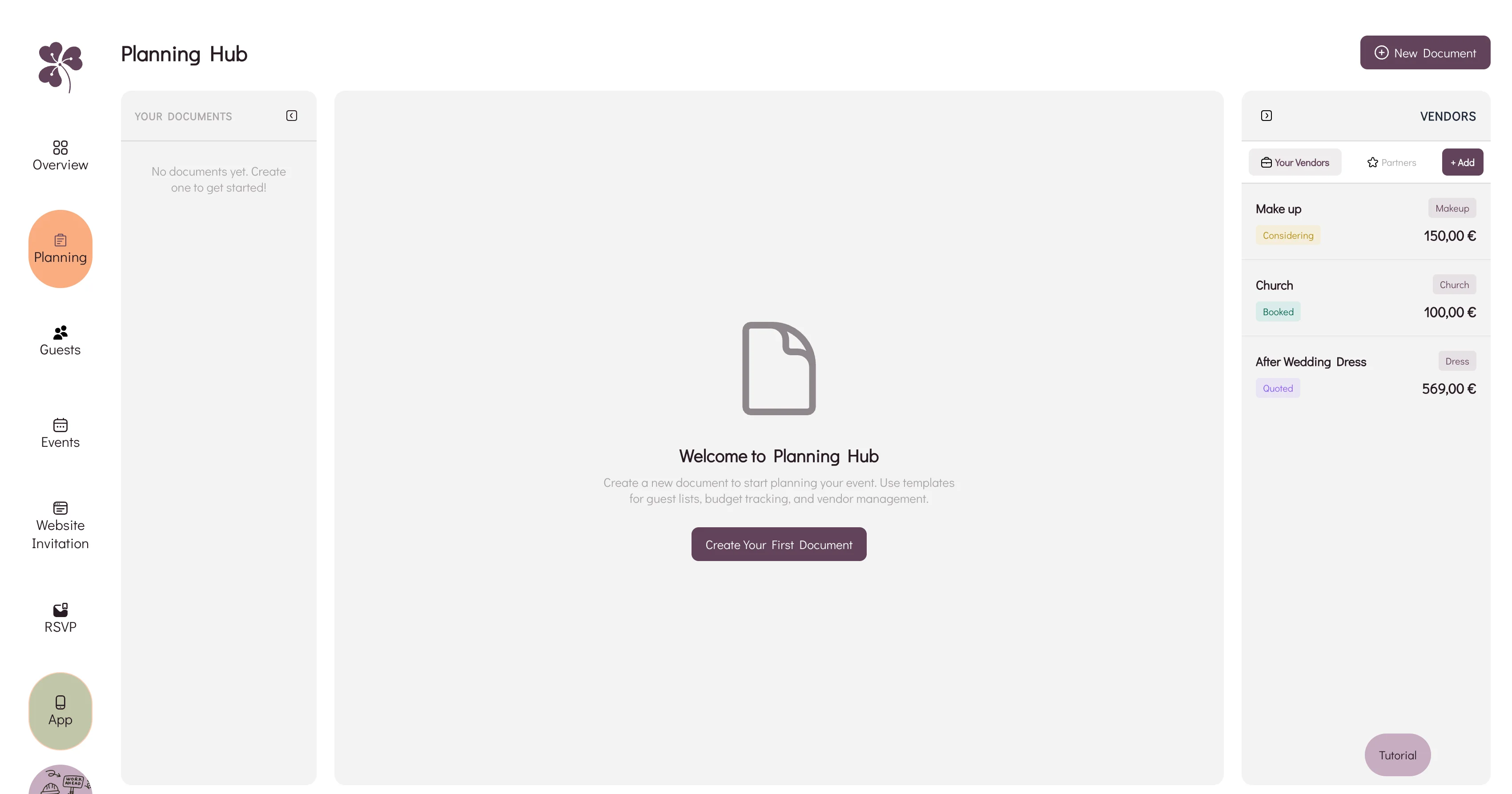
Why a spreadsheet, an inbox and a notes app stop agreeing with each other, and how WhiteClover's Planning Hub keeps budget and vendors in one view.